Battery capacity
indicator
Assist mode
indicator
G
Settings
The display enables the following.
Wireless communication
Switches the profiles and turns off the wireless commu-
nication function.
Brightness
Set the brightness of the indicator.
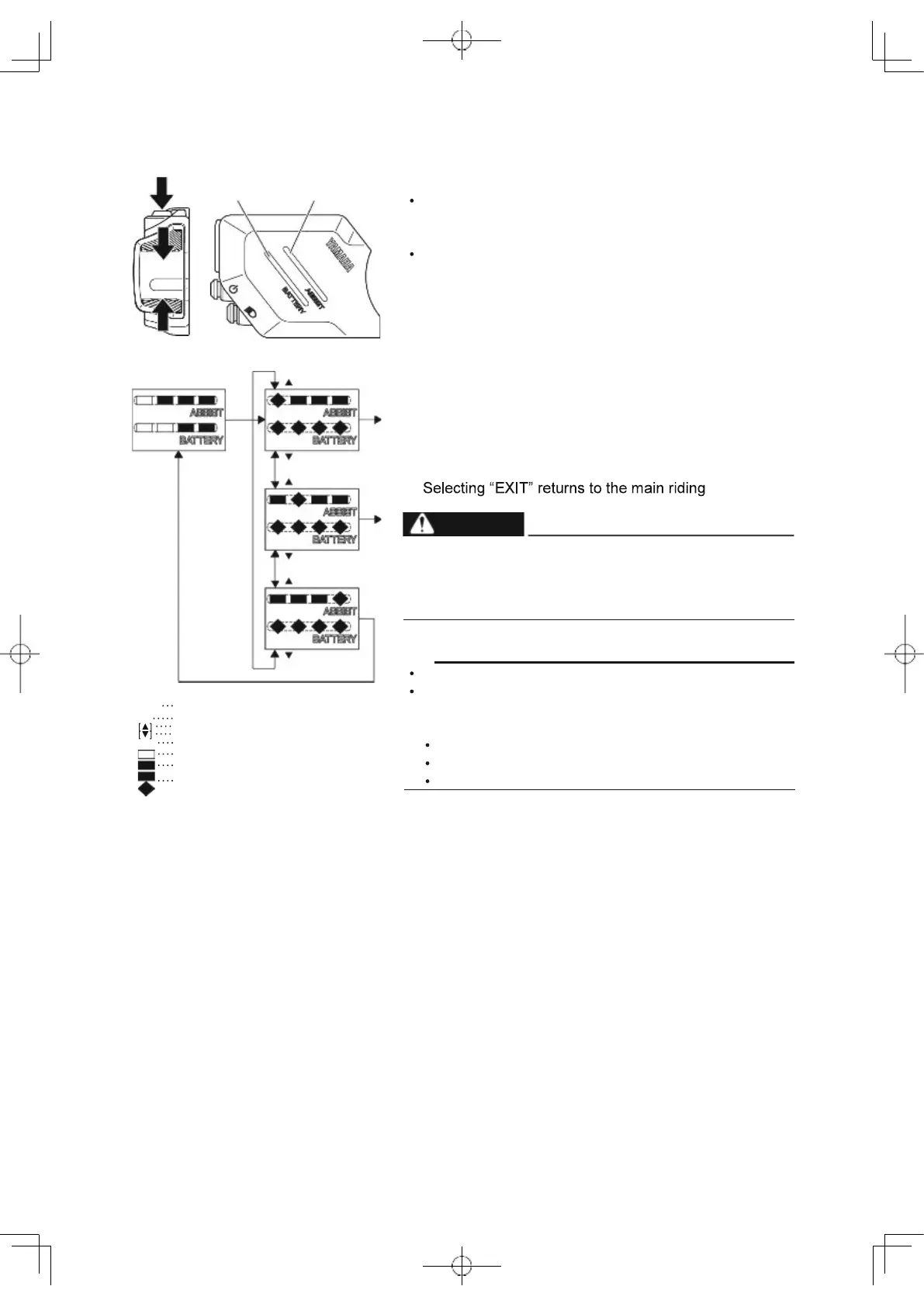
1. Press the select button for 2 seconds or longer.
When all segments of the battery capacity indicator
flash, release the finger.
2. Select an item by using the assist mode switches (up)
or (down).
Check the item using the assist mode indicator. For
more information, see the illustration on the left.
Press the select button at the displayed item that you
want to select, and the selected item will then be dis-
played.
display.
For all setting procedures, be sure to stop the bicycle
and perform the required settings in a safe location.
Otherwise, lack of attention to surrounding traffic or
other hazards could cause an accident.
[S---]
Press the select button for 2 seconds or longer
[S]
Press the select button
Assist mode switch (up)
Assist mode switch (down)
No light
Green
White
Flashing white
TIP
The settings cannot be adjusted while riding.
If you do the following during setting, the item that you
are setting will be canceled and the display will return
to the main riding display.
Turning the crank (pedal) in the traveling direction
Turning the rear wheel at 1.2 mph (2 km/h) and more
Pushing the walk assist switch
72
WARNING
G G G
[ ]
[S---]
W W W W W W
[ ]
[ ]
Brightness
W
W
W W
W W W W
[ ]
[ ]
EXIT
W W W
W
W W W W
[ ]
G
W
W



 To Next Page