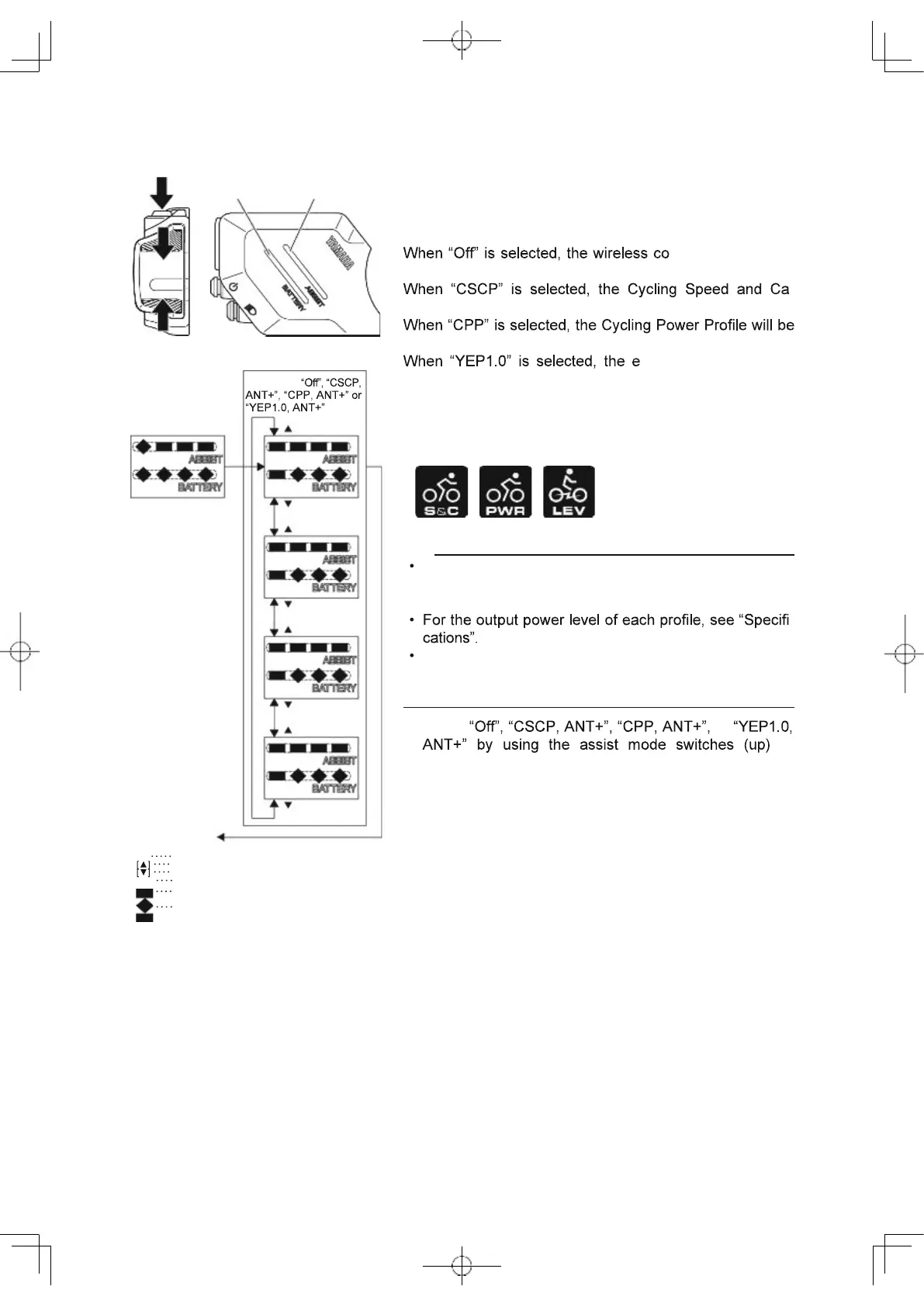
Battery capacity
indicator
Assist mode
indicator
Wireless communication
You can set the profile to use the wireless communication
function with Bluetooth low energy technology and ANT+,
or you can select not to use the wireless communication
function.
mmunication func-
tion will be inactive.
-
dence Profile will be available together with ANT+*.
available together with ANT+*.
-Bike profile preset by
YAMAHA MOTOR CO., LTD. will be available together
with ANT+*.
* When ANT+ is active, Speed and cadence, Power, and
LEV are possible to use in parallel.
TIP
Set the profile according to the wireless communication
device that communicates via Bluetooth low energy
technology.
-
Even if the power is turned off, the setting will be kept.
When the power is turned on the next time, the last
used setting will be selected.
1. Select or
or
(down).
2. When you press the select button at the desired item
display, the setting will be kept and the main riding dis-
play will be shown.
[S]
Press the select button
Assist mode switch (up)
Assist mode switch (down)
White
Flashing white
Blue
73
Selection of
Wireless
[ ]
Off
W
W W W B W W W
[S]
W W W W
W
W W W
[ ]
CSCP
[ ]
ANT+
W B W W
W
W W W
[ ]
CPP
[ ]
ANT+
W W B W
W
W W W
[ ]
YEP1.0
[ ]
ANT+
W W W B
W
W W W
[ ]
To main riding
display
W
W
B



 To Next Page