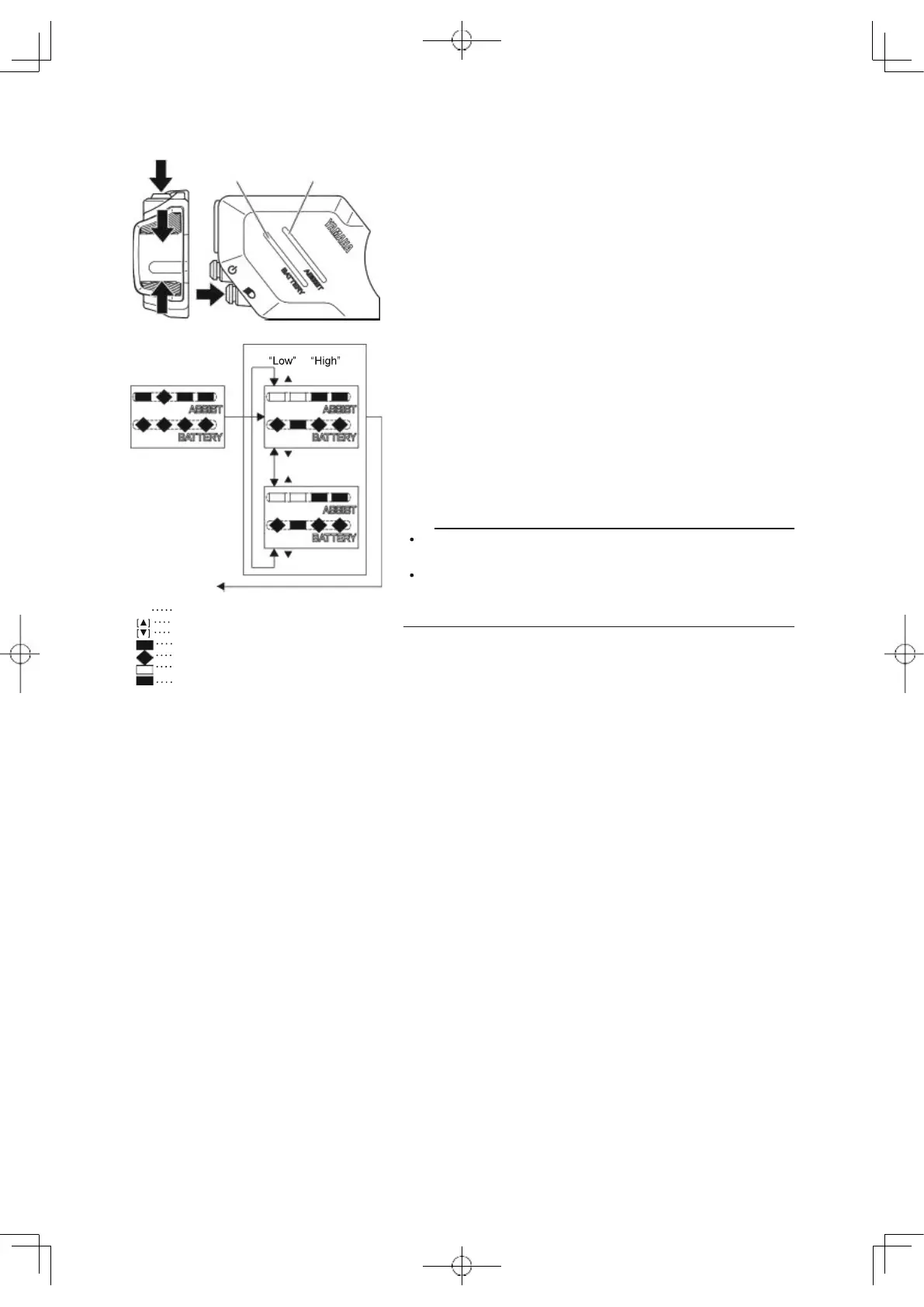
Brightness
You can set the indicator brightness when the headlight is
on and off.
[S]
Press the select button
[Setting the indicator brightness when the headlight is on]
1. Turn the headlight on by using the light switch.
2. Select the indicator brightness by using the assist
mode switches (up) or (down).
3. When you press the select button, the setting will then
be kept and the display will return to the main riding
display.
[Setting the indicator brightness when the headlight is off]
1. Turn the headlight off by using the light switch.
2. Select the indicator brightness by using the assist
mode switches (up) or (down).
3. When you press the select button, the setting will then
be kept and the display will return to the main riding
display.
TIP
While adjusting the brightness of the indicator, the indi-
cator brightness will become the selected one.
Even if the power is turned off, the setting will be kept.
When the power is turned on the next time, the last
used setting will be selected.
Assist mode switch (up)
Assist mode switch (down)
White
Flashing white
No light
Green
74
Battery capacity Assist mode
indicator indicator
Selection of
or
Brightness
[ ]
Low
W
W
W W G W
[S]
W W W W W W W
[ ]
[ ]
High
W G
[
To main
display
W
W
W
W
G



 To Next Page