EasyManua.ls Logo

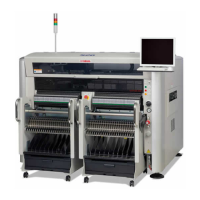
Yamaha SIGMA-G5SII - User Manual

Yamaha SIGMA-G5SII
273 pages
Print Icon
To Next Page IconTo Next Page
Loading...
For Service Engineer
Service Information
SI1705004E-00=SIGMA-G5SII Service Manual
1/273
MACHINE TYPE : SIGMA-G5SII
CLASSIFICATION : Installation / Adjustment / Maintenance
REFERENCE :
SIGMA-G5SII Service Manual
General description
This service manual is intended for service engineers who maintain the machine.
Make sure to read this service manual carefully and use the machine safely.
Keep this service manual in a safe place within reach.
Regarding the basic work procedure until installing the machine, see “Chapter 2 Basic Operations for
Maintenance”.
Fill out the adjustment results when installing the machine in the “installation check sheet” and keep it in your
office.
When installing the machine by an overseas agency, make sure to fill out the “installation check sheet” and
submit it to YAMAHA Japan office.
Make sure to submit the installation check sheet as it is the absolute condition of starting the warranty period.
About this document:
This document is intended for service engineers.
Make sure to use it under the instruction of those who have completed the maintenance training or a
YAMAHA serviceman.
YAMAHA is not responsible for any problems caused by the misuse of the document.
This document contains the method to edit the system data that affects the customer’s machine
condition.
Make sure to thoroughly understand the contents of the document, and perform the adjustments on
your own responsibility.
This document contains the password to log in the adjustment utility. Be careful when handling it.
All rights reserved.
About the safety:
Strictly follow the safety precautions in the “Safety” section in the “Operation Manual”.
Disclaimers:
This document contains the preliminary information subject to change in the future.
The information contained in this document represents the current view of YAMAHA on the issues
discussed as of the date of issuance. As YAMAHA must respond to changing market conditions, it should
not be interpreted to be a commitment on the part of YAMAHA, and YAMAHA cannot guarantee the
accuracy of any information presented after the date of issuance.
This document is provided for information purposes only, and it is provided without any warranties, either
express or implied.
It is the responsibility of the user to comply with all applicable copyright laws. Without limiting the rights
under copyright, no part of this document may be reproduced, stored in or introduced into a retrieval
system, or transmitted in any form or by any means (electronic, mechanical, photocopying, recording, or
otherwise), or for any purpose, without the written permission of YAMAHA.
However, this shall not be construed to limit the users right granted by Copyright law.
YAMAHA may have patents, patent applications, trademarks, copyrights, or other intellectual property rights
covering subject matter in this document. Except as expressly provided in any written license agreement
from YAMAHA, this document does not give users any license to these patents, trademarks, copyrights, or
other intellectual property.
The names of actual companies and products mentioned in this document may contain the trademarks of
their respective owners.
No: SI1705004E-000
ISSUED DATE: December 27 2017


Table of Contents

Questions and Answers

Summary

General Description and Document Overview

About This Document Guidelines

Outlines the scope and usage guidelines for the manual, emphasizing user responsibility and data security.

Safety Precautions for Operation

Stresses adherence to safety precautions found in the Operation Manual for safe machine operation.

Document Disclaimers and Copyright

Clarifies the preliminary nature of the information, YAMAHA's warranty limitations, and copyright restrictions.

1. Installation Procedures

Machine Specifications and Requirements

Details the physical dimensions, weight, air consumption, and power requirements of the machine.

Power and Earth Cable Connection

Provides step-by-step instructions for connecting the machine's power and earth cables correctly.

Air Connection and Piping

Explains the procedure for connecting the air supply to the machine, including pipe connection.

Detailed Installation Steps

Outlines the detailed steps involved in physically installing the machine.

Post-Installation Offset Teaching

Describes offset teaching procedures required after installation for accurate machine operation.

2. Basic Operations for Maintenance

Home Return Operation Types

Explains the two types of home return operations: All Zero and Individual Zero.

Home Return Operation Procedure

Details the step-by-step procedure for performing the home return operation.

Nozzle Change Procedure

Describes the two methods for changing nozzles on the machine.

Conveyor Width Adjustment

Guides on how to adjust the conveyor width for teaching operations.

PCB Transfer Procedure

Explains the manual procedure for transferring PCBs between stations.

Unit Adjustment Operations

Covers various unit adjustment operations, often requiring debug mode access.

Manual Operation Guidelines

Details manual operations for unit adjustments and device checks.

System Data Editing Procedure

Guides on how to edit system data and parameters for machine configuration.

Debug Mode Access Procedure

Explains how to switch the machine to debug mode for advanced operations.

3. Mechanism Details

Nozzle Stocker Unit Replacement

Details the process for removing and attaching the nozzle stocker unit.

X-Axis Ball Screw Replacement

Provides instructions for removing and attaching the X-axis ball screw.

Y-axis Linear Guide Attachment

Details the procedure for attaching the Y-axis linear guide.

X-axis Linear Guide Attachment

Details the procedure for attaching the X-axis linear guide.

X-Axis Linear Scale Replacement

Covers the steps for removing and attaching the X-axis linear scale.

Y-Axis Linear Scale Replacement

Covers the steps for removing and attaching the Y-axis linear scale.

X-Axis Scale Head Adjustment

Explains the procedure for adjusting the X-axis scale head.

Y-Axis Scale Head Adjustment

Explains the procedure for adjusting the Y-axis scale head.

4. Maintenance Procedures

CPU and Control Board Replacement

Details replacement procedures for CPU boards, control boards, and lighting control boards.

Camera and Motor Component Replacement

Covers replacement of camera units and axis motors (PEC, Component, NL, NS, HL).

Slip Ring and Nozzle Shaft Maintenance

Details procedures for changing slip rings and maintaining nozzle shafts.

Head and Cutter Unit Maintenance

Covers maintenance for head assembly, cutter unit, clamp lever, and cutter blade.

Fuse and Servo Amplifier Replacement

Guides on replacing fuses in various electrical parts and servo amplifiers.

Sensor Replacement and Setting

Details replacing and setting sensors, including disengaged latch and tape pick-up errors.

Side View Camera Light Receiver Replacement

Covers the procedure for changing the light receiver for the side view camera.

5. Electric System Overview

Home Return Operation Procedure

Explains the procedure for performing a home return operation for the machine's axes.

Electric System Block Diagram

Presents a block diagram illustrating the machine's electric system.

Block Electric System Layouts

Shows the electrical layout of different sections of the main machine.

Electric Parts Settings

Details the settings for various electrical components, including breakers and timers.

6. Troubleshooting and Recovery

System Recovery and OS Installation

Details the steps for recovering the system, including OS installation.

Installation Precautions

Lists important precautions to consider during the machine installation process.

Touch Panel Replacement and Adjustment

Covers the procedure for changing and adjusting the touch panel.

Touch Panel Front;Rear Identification

Explains how to configure the touch panel's front and rear identification.

7. Application Software Setup

LISA System Setup and Configuration

Details setup procedures for LISA, including IP addressing, licensing, and installation.

NT-100 Setting and Communication

Covers setting up and establishing communication with the NT-100 system.

Production Manager Software Setup

Covers the setup and configuration of the Production Manager software.

Yamaha SIGMA-G5SII Specifications

General IconGeneral
BrandYamaha
ModelSIGMA-G5SII
CategoryIndustrial Equipment
LanguageEnglish

Related product manuals