6 En
4
Connecting to a TV
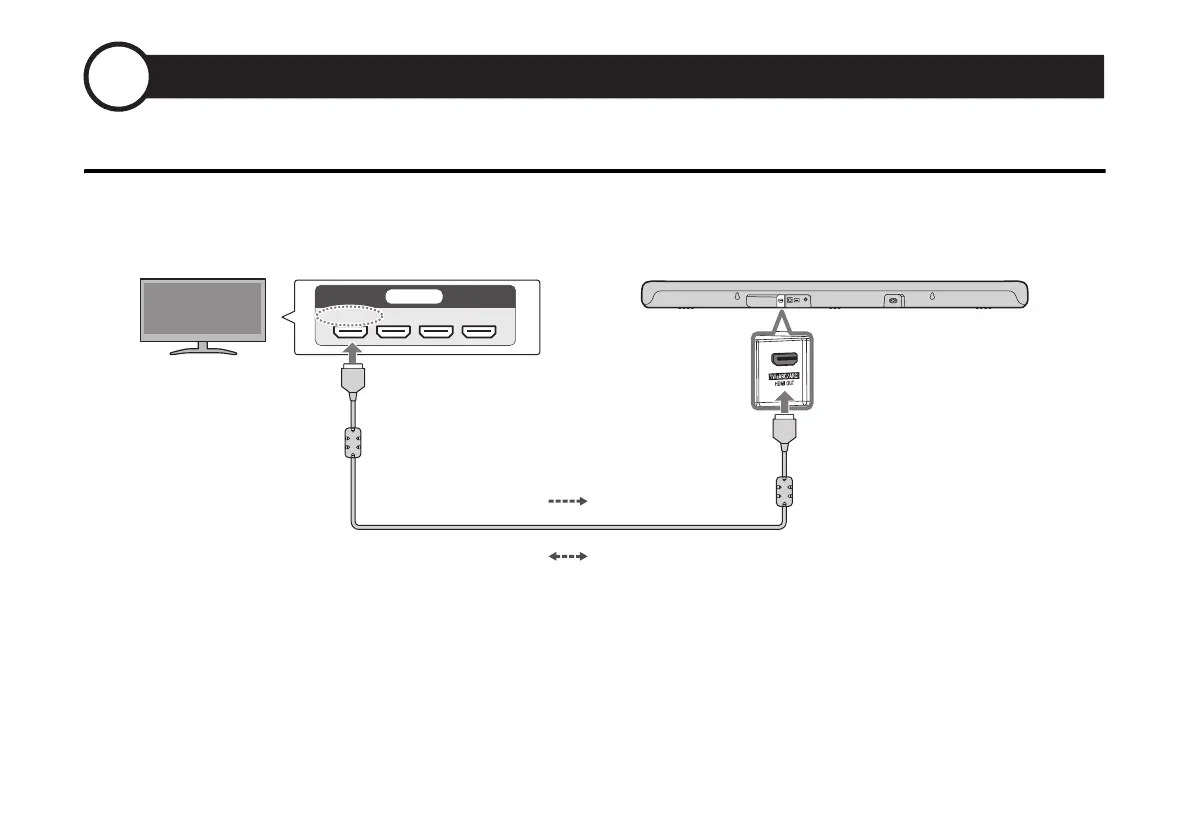
Connect to a TV using the HDMI cable (included)
Connect to an HDMI input jack compatible with Audio Return Channel (labeled as “eARC” or “ARC”) on the TV using the included HDMI cable.
NOTE
• Be sure to use the included HDMI cable.
• When connecting to a TV not compatible with ARC or connecting to an audio device, follow the connection procedure described in the User
Guide.
Sound bar (rear)
HDMI OUT/TV (eARC/ARC) jack
TV
HDMI input jack
(compatible with eARC/ARC)
Control signal
TV’s audio signal



 To Next Page