En 7
5
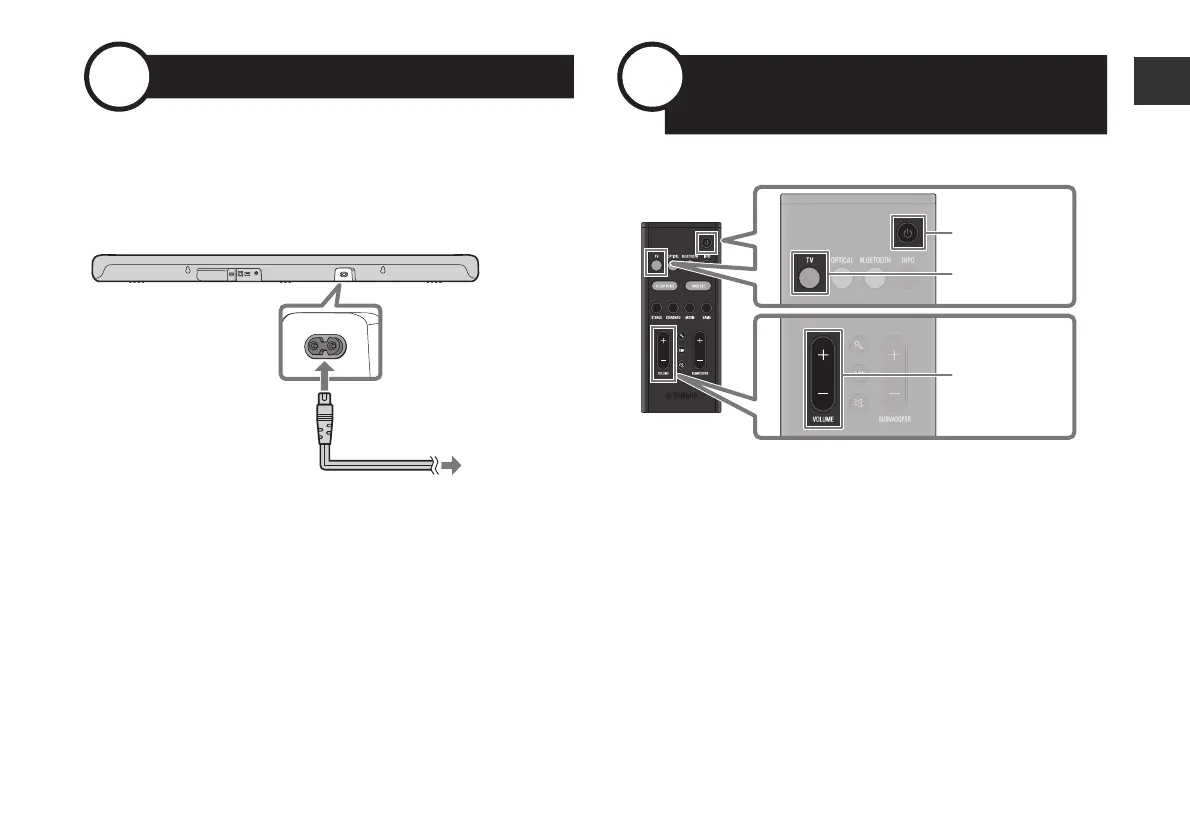
Connecting to power
After connecting the sound bar to the TV, connect the sound bar to
power as follows:
6
Playing TV sound through
the sound bar
1 Turn on the TV.
When the the HDMI Control function of the TV is enabled (p. 8),
the sound bar will also turn on. In this case, go to Step
4.
2 Turn on the sound bar.
Press the power button on the remote control.
3 Press TV.
4 Press VOLUME (+/−) to adjust the volume.
Sound bar (rear)
To an AC wall outlet
Power cord (included)
TV
VOLUME (+/−)
Power
Remote control



 To Next Page