AFTER
TOUCH PITCH AT
=
0,P
,A0,
EO
This
"switch" determines
whether
modulation will
be
applied
to the pitch of
the
corresponding voice
to
produce
vibrato
type effects. AFTER
TOUCH PITCH
is either
(OFF)
or
1
(ON).
AFTER
TOUCH AMPLITUDE
AT
=
0,
PO,Affl,EO
This "switch"
determines
whether modulation will
be applied to the
amplitude
(volume) of the
corresponding
voice to produce tremolo
or
wow
type effects. AFTER
TOUCH AMPLITUDE
is either
(OFF) or 1
(ON).
AFTER
TOUCH
EG
BIAS
AT
=
0,
PO,AO,E|
More About the Shift
and
Normal Modes
Function Editing via
the
DX7 Data Entry
Control
Transferring the
DX7
Functions
to the TX7
Function
Edit Buffer
This
"switch" determines whether
modulation will be applied to the EG
bias of the
corresponding
voice
to
produce
tonal variations. AFTER TOUCH EG
BIAS is either
(OFF)
or
1
(ON).
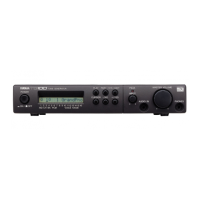
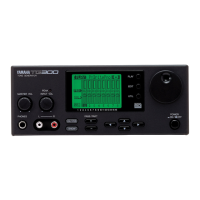
The MODE NORMAL and SHIFT
button Is
used to select the group of functions
accessible
by certain buttons. Note
that four of the
TX7's
control
buttons have labels
below
as
well
as above them. The groups of functions corresponding
to the labels
above these buttons are accessed in
the
NORMAL
mode, and the groups of
functions
corresponding
to the labels below the
buttons are
accessed
in
the SHIFT
mode.
Specifically, in the NORMAL
mode
you
can
access
the COMBINED
and INDI-
VIDUAL voice PROGRAM CHANGE
functions, and
the TX PERF and DX FUNC
STORE
functions.
In
the
SHIFT
mode you can access the CASSETTE SAVE/VERIFY
and
LOAD/PROT
functions, and the MIDI MODE and DUMP/INIT
functions.
All
these
operations
will
be covered later. When
the
MODE
button is
pressed in any
mode, except while
editing function
parameters (in which case it simply reverses
the
direction
of scrolling through the function
parameter list), the
LCD
display
will
read either
"=
NORMAL
MODE!
="
or
"=
SHIFT MODE I", indicating
the
mode
you
have
just selected. You must then press the appropriate control
button
—
PROGRAM CHANGE COMBINED
in the NORMAL mode, for
example-
-to access
the desired
functions.
The DX7's DATA ENTRY
control
can be used to set all TX7 function memory
pa-
rameters except
ON/OFF switch type parameters (e.g. MODULATION WHEEL
PITCH
ON/OFF)
and functions not available on the DX7
(e.g.
ATTENUATION).
The
procedure
is as follows:
Set
the TX7
to the SHIFT mode
and press the
MIDI MODE
button
until
you get
the "D.
ENTRY RCV. ON" (or OFF) display. Turn this function ON
by
pressing
the
YES/
+
1 button.
Set the
DX7
to "SYS INFO AVAIL" (this is done by activating
the
DX7 FUNCTION
mode,
then pressing the number
8
memory button until
the "SYS
INFO UNAVAIL"
display appears,
then
pressing
the YES/
+
1/0N button), then
select
the
function
parameter to be programmed
on
the DX7.
Setting the desired
value on
the
DX7's
LCD
display will automatically set the corresponding
value
in
the TX7 function edit buffer. This operation
can
be
monitored on the
TX7
display
by
calling
the appropriate function display on the TX7. ON/OFF
functions must
be
set
using the
TX7 N0/-1
and
YES/+1 buttons.
The
contents of
the
DX7
function
memory can be
sent
to the TX7 function
edit
buffer
as follows:
Set
the DX7
to "SYS INFO
AVAIL", then while
still
in the DX7 FUNCTION
mode,
press
the
DX7
function
buttons corresponding
to the function
parameters
you wish
to send to the TX7.
Each function
will
be
transmitted
as its button
is
pressed, and
this
can be confirmed on the
TX7 by calling
the appropriate
TX7
function
display.
18


 To Next Page
 Loading...