EasyManua.ls Logo

YAMEE Fat Bear 750s - User Manual

YAMEE Fat Bear 750s
28 pages
Print Icon
To Next Page IconTo Next Page
Loading...
Yameebike.com
User Manual
Suitable for Yamee Fat Bear 750S
Question and Answer IconNeed help?

Do you have a question about the YAMEE Fat Bear 750s and is the answer not in the manual?

Summary

Part 1 Unboxing and Setup

Frame Unfolding Procedure

Step-by-step guide to unfold and securely lock the electric bike's main frame.

Handlebar Assembly

Instructions for unfolding, fixing, and locking the handlebar stem for stable riding.

Pedal Folding and Unfolding

Detailed steps to fold and unfold the bike's pedals for convenience and storage.

Battery Charging Methods

Explains how to charge the battery, either by removing it or using the frame's charging port.

Transmission System Operation

How to use the gear levers to shift between different transmission speeds while pedaling.

Part 2 Display and Controls

LCD Display Interface

Overview of the electric bike's LCD screen, showing indicators like battery, speed, and PAS level.

Display Information Modes

How to navigate through various data screens: trip distance, total mileage, speed, and time.

Driving Mode Selection

Instructions for switching between Eco, Normal, and Sport modes to adjust performance and power consumption.

Walk-Assist & PAS Level Control

Guide to activating the walk-assistance function and adjusting the Pedal Assist System (PAS) levels.

Part 3 Troubleshooting Common Issues

Battery & Mechanical Faults

Resolving battery charging errors, abnormal power display, and noises from brakes or motor.

Drivetrain & Key Issues

Addressing derailleur problems, chain issues, and locating missing e-bike keys.

Error Codes & Fork Leaks

Understanding common error codes and diagnosing oil leaks from the front fork.

General E-bike FAQs

Answers to common questions about seat capacity, water resistance, tire pressure, modifications, and returns.

Part 4 Usage and Maintenance

Battery Care & Charging

Best practices for battery maintenance, including proper charging, temperature, and storage to maximize lifespan.

Frame & Brake Maintenance

Routine checks and cleaning for the bike frame, brake pads, and discs to ensure safety and longevity.

Motor & Tire Upkeep

Guidelines for motor care and regular maintenance of tires, including checking for air leaks and spoke tension.

Derailleur & Weather Riding

Tips for checking the rear derailleur and precautions for riding the e-bike in different weather conditions.

Part 5 After Sales & Warranty

Customer Support & Contact

How to get help, including website, email, phone number, and warehouse location.

Warranty Coverage Details

Information on warranty periods for main parts (Motor, Battery, Controller) and other components.

Warranty Exclusions

Conditions that void the warranty, such as misuse, unauthorized modifications, accidents, and extreme environments.

Service & DIY Parts

Procedures for warranty service, DIY parts replacement, and out-of-warranty repair options.

Overview

This document is a user manual for the Yamee Fat Bear 750S electric bicycle. It provides comprehensive information on unboxing, display instructions, common problems and solutions, use and maintenance, and after-sales and warranty details.

Function Description:

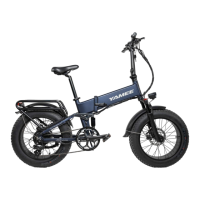
The Yamee Fat Bear 750S is an electric bicycle designed for personal transportation. It comes 95% assembled and features a folding frame, handlebar, and pedals for portability and storage. The e-bike is equipped with a display that shows various information such as battery indicator, speed value, drive mode, motor power, auto headlight sensor status, PAS (Pedal Assist System) level, and ODO (odometer) mileage. It offers multiple driving modes (Eco, Normal, Sport) to suit different riding preferences and energy consumption needs. The e-bike also includes a walk-assistance mode for easier maneuvering when not riding, and a kinetic energy recovery system to recharge the battery during downhill rides or braking.
Important Technical Specifications:

  • Assembly: 95% assembled upon delivery.
  • Battery Charging: Two ways to charge:
    1. Remove the battery by inserting and rotating the key, then pulling it out.
    2. Charge directly through the charging port behind the bicycle's frame hinge without removing the battery.
    • Charger light: Red indicates charging, Green indicates fully charged.
  • Display: LCD display showing:
    • Battery Indicator
    • Light status
    • Speed value (mph)
    • Drive Mode (Eco, Normal, Sport)
    • Motor Power (OW)
    • Auto Headlight Sensor status
    • PAS Level (0-3, with 0 being zero power and 3 being maximum power)
    • ODO Mileage (total miles traveled)
    • TRIP Mileage (miles traveled on current trip)
    • MAX Speed (maximum speed achieved)
    • AVG Speed (average speed)
    • TIME (total traveled time)
  • Wheel Size (Default Setting): 24 inches.
  • Speed Limit (Default Setting): 31 mph.
  • Assistant Num (Default Setting): 12.
  • Set Voltage (Default Setting): 48V.
  • Power Set (Default Setting): 0-3.
  • SHD (Kinetic Energy Recovery): Default 0, can be set to 50 for activation.
  • CRU (Cruise Control): Can be turned ON/OFF.
  • Maximum Load on Back Seat: 25kg (prohibited to sit on).
  • Tire Pressure: Pumping range 17-18 psi.
  • Warranty: Motor, Battery, and Controller (Electricity System) are covered by a 2-year warranty. Other parts should be checked upon receipt for initial proper functioning.

Usage Features:

  • Frame Unfolding: Push the clamp to lock the frame solidly and ensure it is tight.
  • Handlebar Unfolding: Turn the hinge upward until the handlebar is fixed, then push and lock the clasp, ensuring it is secure.
  • Pedal Unfolding: Rotate the pedal up until it is fully engaged.
  • Pedal Folding: Push the pedal from the front first, then rotate it downward.
  • Transmission System: Adjusted while pedaling. Depress the lever to shift to a higher or lower gear.
  • Display Information: Press the "i" button to cycle through different information displays (miles traveled, total miles, maximum speed, average speed, total traveled time).
  • Driving Mode Switching: The display shows Eco, Normal, and Sport modes.
    • Eco Mode: Low speeds, low acceleration, low energy consumption.
    • Normal Mode: Normal speeds, normal acceleration, normal energy consumption.
    • Sport Mode: High speeds, high acceleration, higher energy consumption.
  • Walk-assistance Mode: Press the "-" button for 2 seconds to activate. It is intended for use when walking the e-bike. It switches off when the button is released.
  • Assistance Level Selection: Press "+" or "-" buttons to switch PAS levels (0-3) to change motor output power. Level 0 is zero power, Level 1 is minimum, and Level 3 is maximum. Default is Level 0.
  • Setting Access: Press both "+" and "-" buttons for 2 seconds to access the general settings menu.
  • Password Setting: Allows setting a power-on password. Adjust numbers with "+" or "-" and confirm each digit with the "i" button.
  • Cruise Control: To activate, access CRU setting via "i" button, turn "off" to "on" using "+" or "-" buttons, then hold the throttle at a constant speed for 5 seconds. The bike will maintain this speed.
  • Kinetic Energy Recovery: Turn on power set (0-3) and set SHD function to 50. When speed reaches 15 MPH downhill, adjust PAS level to 0 for automatic energy recovery. Also occurs during braking.
  • Error Codes: Display shows error codes for various abnormalities (Current, Throttle, Motor, Motor Hall Signal, Brake, Communication). Specific steps are provided to diagnose brake problems.
  • Riding in Rainy Conditions: Not recommended. Add protection to the display if riding in rain is necessary, as water damage is not covered by warranty.

Maintenance Features:

  • Battery Maintenance:
    • Fully charge before first use.
    • Avoid using in low power level.
    • Use specified charger.
    • Charge in a ventilated area, avoid high temperatures (over 212°F/100°C).
    • Charge at least once a month if not in use for a long time.
    • Keep away from water/liquids.
    • Turn off when not in use.
    • Fully charge before each use to extend battery life.
    • If battery problems occur, stop charging and contact support.
  • Frame Maintenance: Wipe the bike dry if it gets wet during a ride.
  • Brake Maintenance:
    • Check brake pads regularly.
    • Check brake disc regularly to prevent deform.
    • For hydraulic brakes, check for oil leakage regularly.
    • Clean brakes regularly.
  • Motor Maintenance: Do not disassemble. Contact Yamee with a video if problems occur.
  • Tire Maintenance:
    • Check regularly to prevent air leak.
    • Check spokes regularly.
  • Derailleur Maintenance:
    • Check if the rear derailleur changes to every gear (contact for video on shifter adjustment).
    • Check the rear derailleur guard for bends that might affect the derailleur.
  • DIY Parts Service: Yamee may provide replacement parts and installation instructions for self-service.
  • Out-of-Warranty Repair: Replacement parts can be purchased from Yamee at competitive prices.

YAMEE Fat Bear 750s Specifications

General IconGeneral
BrandYAMEE
ModelFat Bear 750s
CategoryBicycle
LanguageEnglish

Related product manuals