
 Need help?
Do you have a question about the Yes Falcon-II and is the answer not in the manual?
Details the manufacturer's warranty terms, duration, and conditions for the instrument.
Outlines procedures for instrument repair, RMA, and service contact information.
Covers copyright protection for the manual and software, and licensing terms.
States limitations of liability regarding equipment modification, improper use, maintenance, or accidents.
Welcomes users and lists included accessories and operation manual for the Falcon-II.
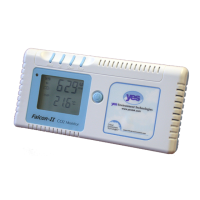
Provides a brief overview of the Falcon-II as a rugged, hand-held, battery-powered CO2 and Temperature monitor.
Details physical dimensions, weight, operating conditions, power, outputs, sample method, warranty, and certifications.
Lists measurement ranges, resolutions, accuracy, repeatability, and response times for CO2 and temperature sensors.
Presents the physical dimensions of the Falcon-II instrument.
Identifies and locates main components and controls like buttons, display, and battery access.
Provides instructions for replacing the alkaline batteries in the instrument.
Introduces the various operating modes of the Falcon-II monitor.
Guides powering on the device, initial warm-up, and entering user mode.
Explains how to input altitude for pressure compensation in ALTI mode.
Details adjusting CO2 alarm level and enabling/disabling audible alarms.
Describes setting outside CO2 for accurate ventilation rate calculations.
Outlines the annual CO2 sensor recalibration process.
Explains using Data Logger and Max/Min modes for viewing readings.
Guides on recovering factory settings for troubleshooting.
 General
| Brand | Yes |
|---|---|
| Model | Falcon-II |
| Category | Measuring Instruments |
| Language | English |

 To Next Page