3 Disconnect from the
computer
After the file transfer is complete,
please close my computer or
explorer and then unplug the cable as follows.
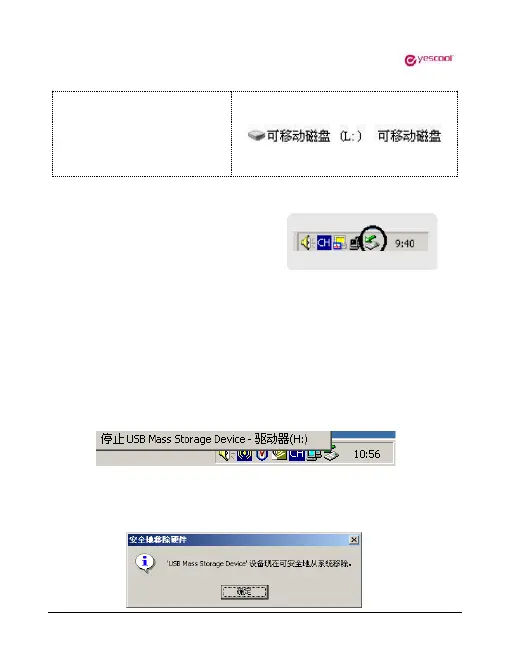
For users of WINDOW 2000 or higher operating systems, follow
the steps below:
➢ Click the green arrow in the lower right corner of your computer.
➢ Click to stop USB Disk - drive
➢ After the Safely Remove Hardware dialog box appears, click OK
to remove the USB cable.


 To Next Page