•13•
Chapter III Document Management and Playback
1. File deletion
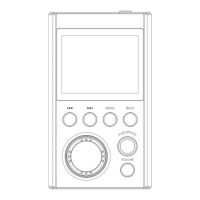
In the main menu state, press “MENU” to enter the file browsing menu,
find the file you want to delete, press “MENU” key to select the delete
menu option, and then press “MENU” key to select OK to delete. If you
exit to delete, press “BACK”. "Exit delete option
(Note: It cannot be restored after deletion, please note backup)
In the main menu state, press the “ ” or “ ” button to
select the song category menu, short press the “MENU” button
to enter, respectively: all songs, singers, albums, styles, four
categories, in the playlist state Press the “PLAY/PAUSE” button
to play directly
In the main menu state, press the “ ” or “ ” button to


 To Next Page