3. Main directions
а) On/O
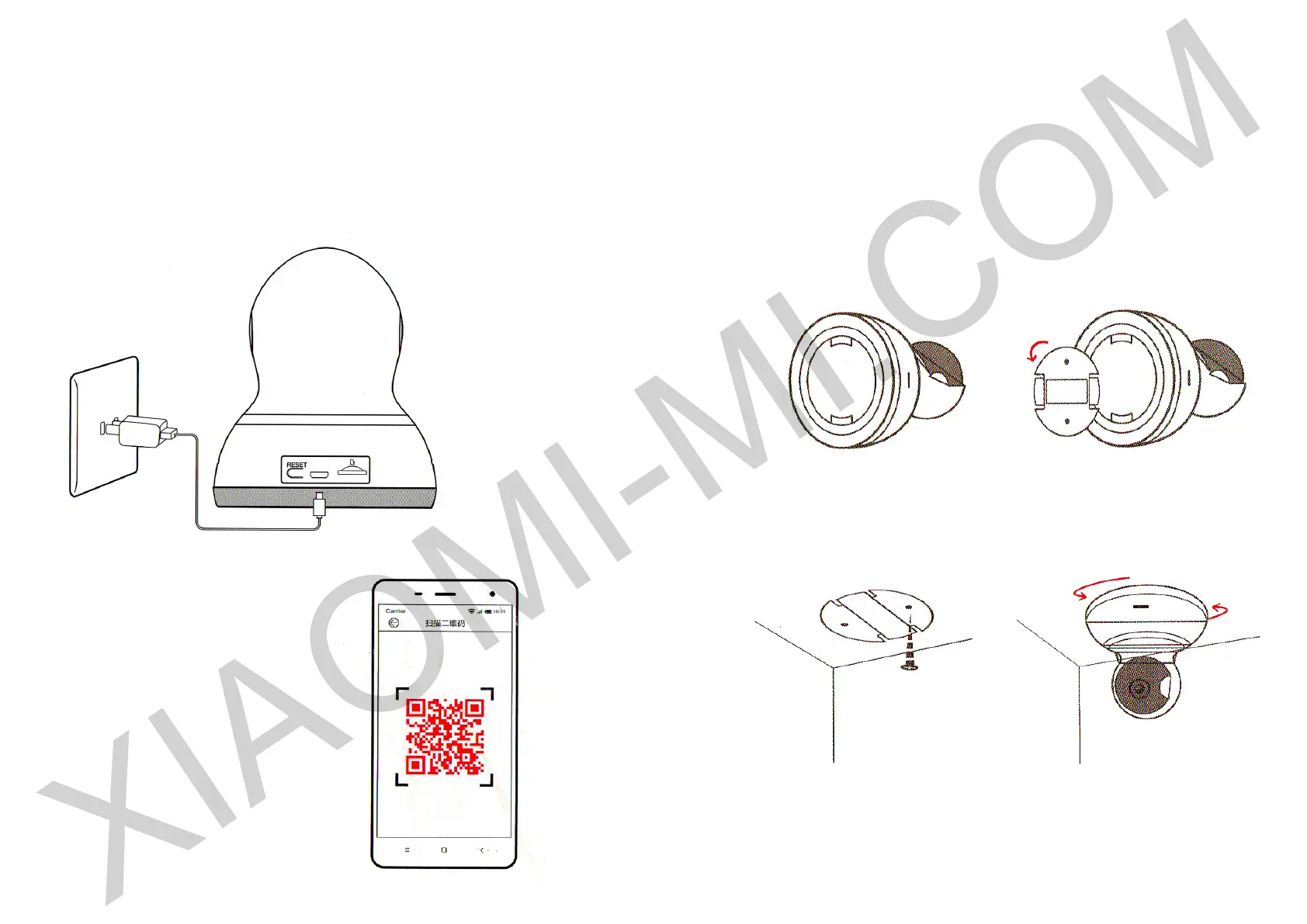
Plug an USB cable into port, which is located at the bottom of the camera, connect the
device to power supply. Indicator lights up, indicating the device is connected to power.
Please ensure that you have available WiFi signal.
b) Install App
- Download and install Yi Home Camera
APP
- Scan the QR-code, to install an
application.
4. Scheme of a mounting the device on wall (optional)
Recommendation: Fastening must be 3 times stronger to carry the
weight of the device and mount.
1. Place the device horizontally 2. Remove the mounting
3. Screw bolts 4. Scroll down and secure the
main unit


 To Next Page