EasyManua.ls Logo

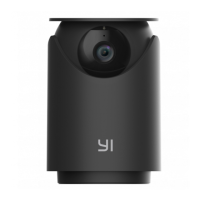
YI Dome U Pro - User Manual

YI Dome U Pro
34 pages
Print Icon
To Next Page IconTo Next Page
Loading...
Thank you for choosing the YI Dome U Camera Pro
Manufacture: Shanghai Xiaoyi Technology Co.,Ltd.
Address: Building 18, Lane 55, Chuanhe Road, China(Shanghai) Pilot Free
Trade Zone, Shanghai, China, 201203
72-XH60GA-DFUC2
FCC ID: 2AFIB-YHS6021
IC: 20436-YHS6021
Question and Answer IconNeed help?

Do you have a question about the YI Dome U Pro and is the answer not in the manual?

Summary

Whats in the box

Getting to Know Your Camera

Camera Components

Identifies key parts of the camera such as indicator light, microphone, lens, speaker, card slot, reset button, and power port.

Pairing your Camera

Prerequisite

Ensure phone is on 2.4 GHz Wi-Fi, download YI Home App, and register/log in to YI account.

Installation Steps

Steps for connecting the camera, using the YI Home App, and scanning the QR code for pairing.

Mounting Your Camera (optional)

Mounting Prerequisite

Ensure camera faces desired direction and USB cable reaches mounting location.

Installation Guide

Instructions for securing the mount with screws and attaching the camera.

Switching Wi-Fi Networks

Procedure

Restore camera to default settings and reconnect via YI Home app.

Important Safety Guidelines

Safety Precautions

Instructions on reading manual, cleaning, usage, attachments, unplugging, updates, and adapter use.

Specifications

CE Compliance Information

Summary

Whats in the box

Getting to Know Your Camera

Camera Components

Identifies key parts of the camera such as indicator light, microphone, lens, speaker, card slot, reset button, and power port.

Pairing your Camera

Prerequisite

Ensure phone is on 2.4 GHz Wi-Fi, download YI Home App, and register/log in to YI account.

Installation Steps

Steps for connecting the camera, using the YI Home App, and scanning the QR code for pairing.

Mounting Your Camera (optional)

Mounting Prerequisite

Ensure camera faces desired direction and USB cable reaches mounting location.

Installation Guide

Instructions for securing the mount with screws and attaching the camera.

Switching Wi-Fi Networks

Procedure

Restore camera to default settings and reconnect via YI Home app.

Important Safety Guidelines

Safety Precautions

Instructions on reading manual, cleaning, usage, attachments, unplugging, updates, and adapter use.

Specifications

CE Compliance Information

YI Dome U Pro Specifications

General IconGeneral
Two-way AudioYes
Motion DetectionYes
ConnectivityWi-Fi (2.4GHz)
Power SourceAC Power
CompatibilityiOS, Android
Field of View110°
Night VisionYes
Local StorageMicroSD card
Cloud StorageYes
AI DetectionYes

Related product manuals