6 7
4. Mounting Your Camera
(optional)
2
1
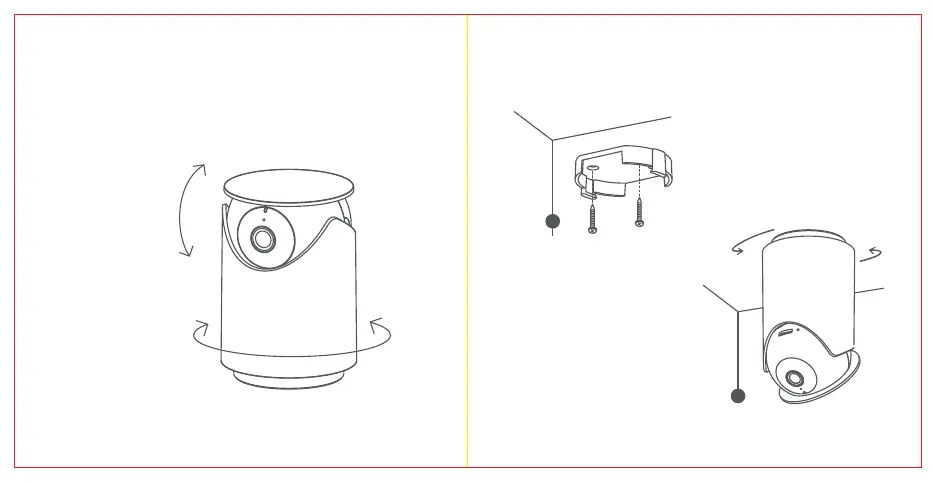
Secure the mount with screws
c) Pan/Tilt/Zoom (PTZ) Angle
Range of Activity:
Pan 0° - 350°, tilt up 53°, tilt down 10°.
Tilt
Up 53°
Down 10°
Pan 350°
Zoom
Directly from the livefeed on your YI Home App
Prerequisite:
• Ensure that the camera is
facing the desired direction prior
to mounting.
• Ensure that the included USB
cable can reach the desired
mounting location.
Step 1
Use the included screws to install
the camera mount on a flat ceiling.
Step 2
Install the camera by twisting and
locking it into the mount base.


 To Next Page