视频AF控制
Video AF control
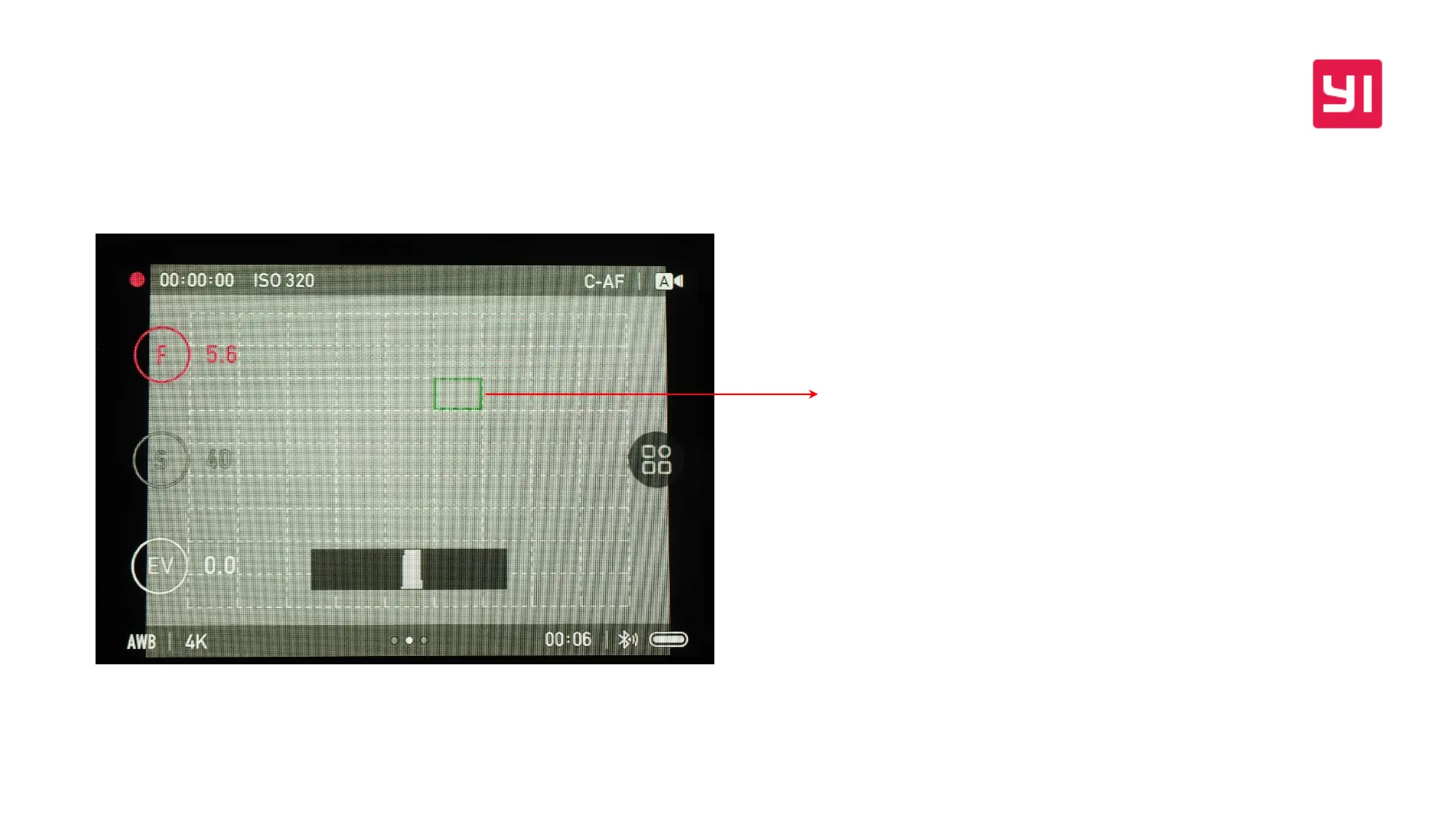
视频拍摄过程中,点击屏幕可以自由选择对焦点,相机将根据
设置的对焦模式执行相应AF动作。按下Q键可切换为相机自动
选择对焦点;
C-AF时,相机将对所选AF点执行连续对焦;
S-AF时,相机将对所选AF点执行单次对焦,合焦后停止AF动作
During video recording, tap the screen to choose the focus point
freely, and the camera will perform the corresponding AF action
according to the focus point you set. Press the Q button to switch
to automatically selecting the focus point by camera;
In C-AF mode, the camera will perform continuous focus on the
selected AF point;
In S-AF mode, the camera will perform a single focus on the
selected AF point and stop the AF action after focusing.


 To Next Page