视频手动对焦
Video manual focus
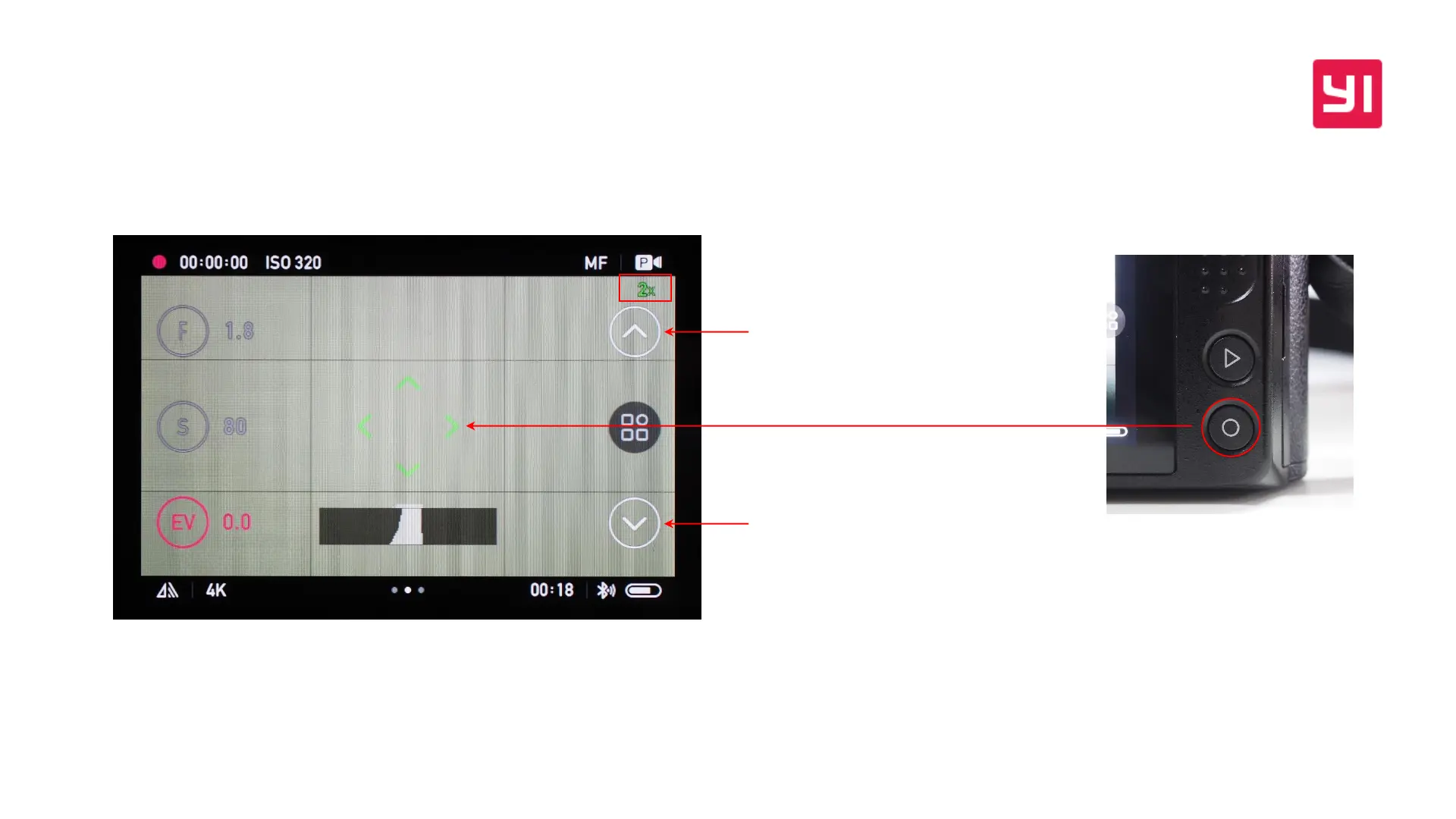
当选择MF或MF+PF对焦模式时,在开始录制前按下Q键可以放大取景画面,放
大后的画面支持全向拖移查看,屏幕右上角会显示放大倍率,支持
2X/4X/6X/8X/10X放大
When you select MF or MF + PF focus mode, Press the Q button before you start
recording to zoom in on the framing screen. The enlarged picture supports
omnidirectional view. The upper right corner of the screen will show magnification
and it supports 2X / 4X / 6X / 8X / 10X zoom.
长按快速往前驱动对焦镜片,单击以最
小步进驱动(only YI 42.5mm f/1.8)
Long press to drive the focus lens forward
quickly, click to drive with minimal step
长按快速往后驱动对焦镜片,单击以最
小步进驱动(only YI 42.5mm f/1.8)
Long press to drive the focus lens
backward quickly and click for the
minimum step drive


 To Next Page