视频控制面板使用说明
Video control panel instructions
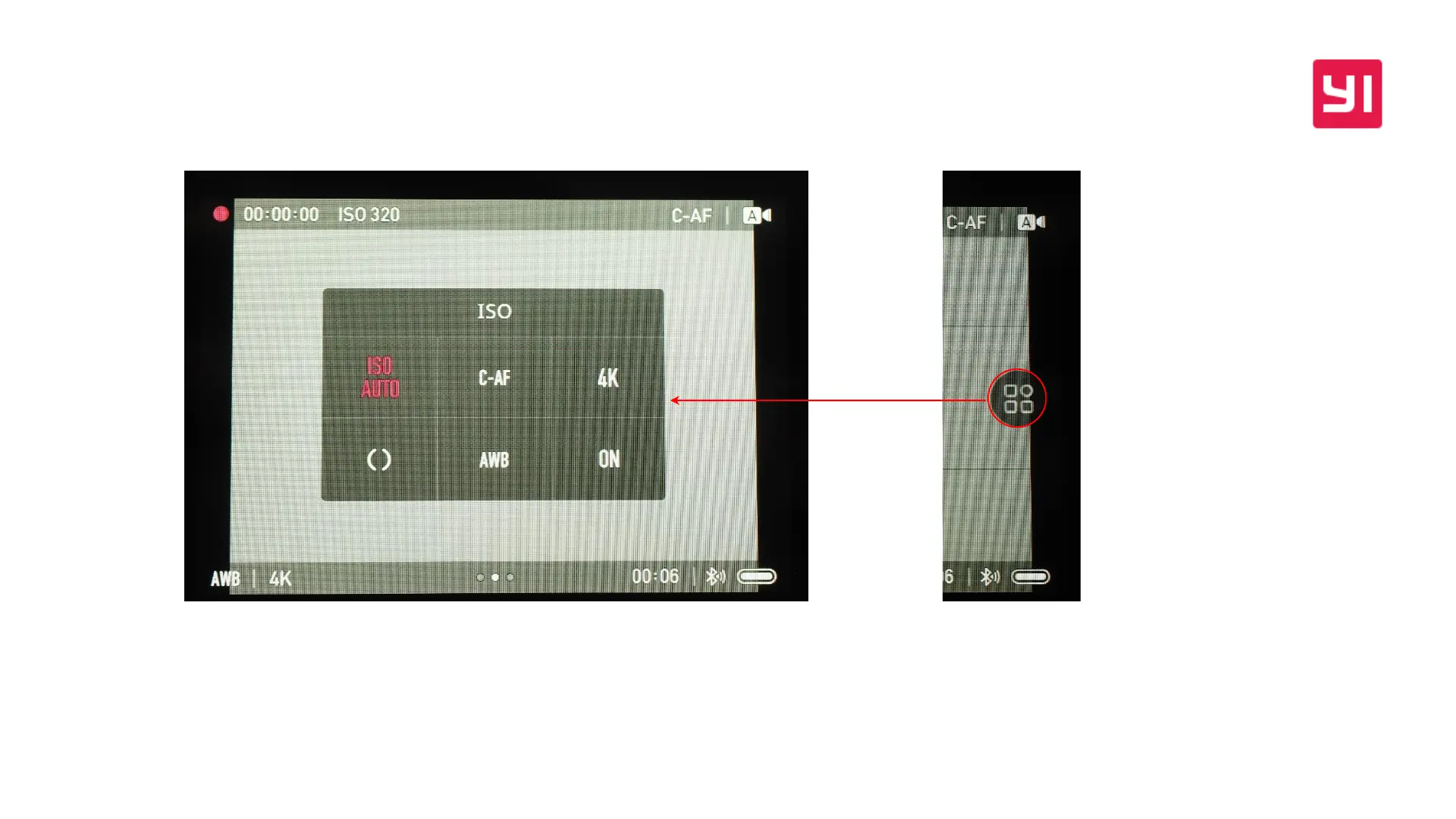
点击屏幕右侧的控制面板按钮可启用,若想改变某项参数,先点击使其变成红色,
再通过控制拨盘调整参数。视频REC过程中支持参数调整
Click the control panel button on the right side of the screen to enable it. If you want to
change a parameter, click to turn it red, and adjust the parameters through the control
wheel. Video parameter setting is supported during video REC


 To Next Page