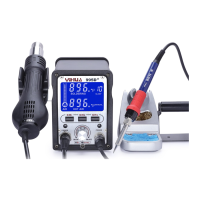
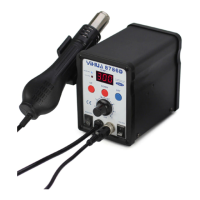
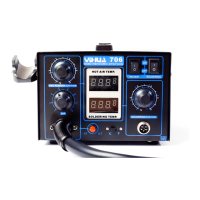
I V. Product Images And Description
995D+
SOLDERING
oeci
4.
window of the lower right corner) is on! Warming up the indicating lamp bright,
constant temperature the indicating lamp will regular high flicker, cooling the
indicating lamp off. Adjusting airflow knob setting appropriate airflow, stay
stable temperature will be normal operation. After the thermostat can visually
see indicating lamp flashing at high speed, and then high precision PID progr-
am in milliseconds to high-sepeed tracking and compensate the gun actual
temperature. So that the gun into the high stability and high precision constant
temperature condition! (Figure 2)
Work is completed, must be put the handle on the holder, at this time de-
soldering will automatic cut off the heating current into the body to send cold
air cooling heating mode. When the temperature is below 1000C shows
de-soldering station , that means the machine will enter into standby mode.
the machine enter into standby state, press air gun " POWER " button turn off
air gun.lf long time no use,please turn off the back of the chassis whole switch.
4
5
6
7
8
1.
2.
3.
AIR
CHI
POWER
HOT AIR
CH2—CH3
1.
2.
3.
4.
5.
6.
7.
8.
9.
10.
11.
12.
13.
14.
15.
16.
17.
18.
Model
Iron work indicator
Iron temperature display
Gun airflow analog values
Preset storage Ch2
Preset storage Chl
Gun switch button
Air gun handle line
Key features/ functions/
airflow adjusting knob
Iron six core socket
Iron switch button
Preset storage Ch3
Air gun indicator
Gun temperature display
Air gun manual or automatic
status indication
Fahrenheit or Celsius
display stat
Iron sleep time
Fahrenheit or Celsius
display status indication
Note: If air Auto/ Manual function set is manual, after open the whole switch, air
gun start to heat normally. The specific parameter settings please see set up instr-
MIN MAX
POWER
10
uctions.
350.
Figure 2
Soldering iron parts
Program high-speed tracking temperature
compensation instruction
1.
2.
3.
The soldering iron handle connected, it will handle on the iron frame.
Open the back of the chassis whole switch, the display shows the factory default
settings, the soldering iron heating element start to heating, at this time the iron
work indicator lights (the lower right corner of the display window) is on! Heating
temperature, the indicator always light, when constant temperature, the regular
high-speed flash; dropping temperature display off. When the iron work indicator
has a regular high-speed flash into a constant temperature after normal working!
Work is completed, clean high-temperature sponge to clean up the residue of the
iron lips under re-plated on a new layer of solder , the iron into the iron frame,
press iron "POWER" button, close the iron. If long time no use,please turn off the
back of the chassis whole switch.
V. Operating Instructions
Hot air rework operation
Desoldering station will be a good place,first please install air gun frame in the
left of the machine, then the handle must be set in the handle frame, otherwise
air gun will not work ( it has the unique security features, effective prevention
of air gun in unknown circumstances on hold in other parts of fire or other acci-
dents).
Connected power supply, the device the air nozzle (to make use of large -
diameter nozzle).
Open the back of the chassis whole switch, the display shows the factory def-
ault values, the temperature of the air gun display windows -
' when the air
gun for standby, pick up the handle, rework station hot air guns enter into the
state of the normal heating, at this time the air gun indicator ( air gun display
5
Note: The specific parameter settings please see set up instructions.
6


 To Next Page
 Loading...