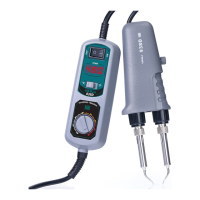
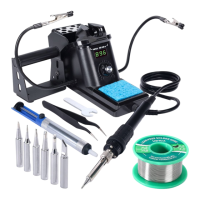
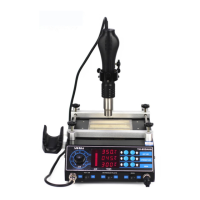
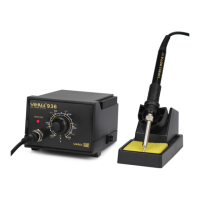
This document describes the 948DII 3-in-1 Anti-static Desoldering Station, an intelligent rework station specifically designed for lead-free soldering.
Function Description
The 948DII is a versatile 3-in-1 anti-static desoldering station that integrates desoldering, high-frequency soldering, and soldering iron functions. It features PID programmable temperature control technology with a high-precision PID program for real-time temperature tracking, detection, and correction of both the desoldering gun and soldering iron. This ensures minimal temperature error, stability, and fast compensation speeds. The machine intelligently identifies and switches between the desoldering and high-frequency soldering functions based on the connected handle, recalling previous temperature parameters. It is equipped with a soldering iron for a wider range of desoldering tasks and can operate simultaneously with the desoldering station. The anti-static design prevents damage to components from static and leakage. For safety and reliability, it incorporates an isolation transformer for power supply to heating elements and an automatic shutoff function when the high-frequency soldering iron or desoldering gun handle is removed. A portable built-in vacuum system provides strong suction, eliminating the need for external vacuum systems.
Important Technical Specifications
- Power: 190W
- Power Supply Voltage: AC 110V ±10% 60Hz / AC 220V~240V 50Hz
- Desoldering Station Power: 130W
- High Frequency Soldering Station Power: 90W
- Soldering Iron Power: 60W
- High Frequency Soldering Station/Soldering Iron Temperature Range: 200°C~480°C
- Soldering Iron Temperature Range: 350°C~480°C
- Display Mode: LED digital tube
- Temperature Stability: ±1°C (static state)
- Voltage of High Frequency Heating Wire: AC 36V ±10% f=380KHz
- Voltage of Soldering Iron Heating Element: AC 26V ±10%
- Desoldering Pump Power: 12W
- Vacuum Pressure: 0.05MPa
- Tip of Ground Impedance: <2Ω
- Packaging Detail: L250xW186xH134mm ±5mm
- Weight: 6.1kg
- Handle Length: ≥120cm
- Operating Temperature: 0°C~40°C / 32°F~104°F
- Storage Temperature: -20°C~80°C / -4°F~176°F
- Storage Humidity: 35%~45%
Usage Features
The device offers several user-friendly design features:
- Celsius/Fahrenheit Temperature Display: The temperature display can be set to either Celsius or Fahrenheit to suit regional preferences.
- Sleep Function: The soldering iron automatically detects when it is not in use and enters a quiescent state. After a set sleep time (1 to 99 minutes, adjustable), the iron's temperature automatically lowers to 200°C, preventing oxidation of the iron head, prolonging tip service life, and saving energy. The sleep function can be disabled by setting the time to "---".
- Wake/Sleep Mode: The device can be woken up by shaking the soldering handle, flicking the red switch on the suction gun, pressing any button, or cycling the power switch.
- Automatic Shutdown Function: If the machine remains in sleep state for a set shutdown time (1 to 99 minutes, adjustable), it will automatically shut down, further enhancing energy saving and environmental protection. This function can be disabled by setting the time to "---".
- Password Feature: Access to function parameter settings requires a password, preventing unauthorized changes and maintaining operational efficiency.
- Digital Temperature Correction Feature: This allows for correction of temperature deviations between actual and displayed temperatures, useful for environmental conditions or after replacing heating cores, iron tips, or other parts.
- Unique Tin Suction Nozzle and Heating Pipe Design: Solder can be inhaled through filters in a molten state without the need for regular maintenance, improving efficiency.
- Silicone Heat-Resistant Tubing: Prevents heat generation and contact damage.
- Double-Sided Internal SMT Manufacturing Process: Ensures clean craftsmanship, clear signal flow, and stable, safe performance, adapting to harsh environments.
Maintenance Features
- Soldering Tip Maintenance:
- Temperature: Use the lowest possible temperature to preserve tip functionality.
- Cleaning: Regularly clean the soldering tip with a cleaning sponge to remove carbon compounds and oxides. For continuous use, dismantle and clean the tip weekly.
- When Not in Use: Avoid leaving the soldering iron at high temperatures for extended periods to prevent oxidation.
- After Use: Wipe clean and coat the tip with a new layer of tin to prevent oxidation.
- Initial Use: Coat the tip with tin once it reaches melting temperature, then increase to desired temperature.
- Oxide Layer: If an oxide layer forms, wipe it with a cleaning sponge. If stubborn, allow to cool, then gently remove with sandpaper, and re-tin.
- High Temperature Work: After high-temperature use, return the temperature knob to 250°C or below when inactive. Turn off power if inactive for over 20 minutes to prevent heating core aging and nozzle oxidation.
- Desoldering Station Maintenance and Component Replacement:
- Nozzle Cleaning: Insert the plug, turn on power, heat the nozzle, and use an appropriate cleaning needle to clean the nozzle hole.
- Heating Element Cleaning: After cooling, unscrew the nut, remove the steel pipe and nozzle. Turn on power, heat the element, and use a cleaning needle. Turn off power after cleaning. Solder in heating element holes must be melted before cleaning. If the needle cannot penetrate, replace the element. Ensure the nut is screwed tightly during reassembly.
- Filter Tube Cleaning: Turn off power, wait for the filter to cool, then remove the filter and spring filter tube to clean solder. The filter tube is very hot.
- Filter Component Replacement: Replace the spring filter tube if solder cannot be removed or if it's 2/3 full. Replace the asbestos filter if it becomes stiff or heavily silted.
- Heating Component Replacement: Unplug power, cool the component, unscrew the nut, remove steel tube and sucker, remove fixed screw, take out the filter, open the cabin, unplug and remove the heating element, install a new element, reconnect wiring, and reassemble in reverse order. Re-adjust temperature.

 Need help?
 General

 To Next Page