9. TROUBLESHOOTING GUIDE
Here are some recommendations for solving urgent problems. If the trouble cannot be solved, or if you have a problem other
than those described hereunder, please contact our technical service or your nearest dealer.
9.1. I
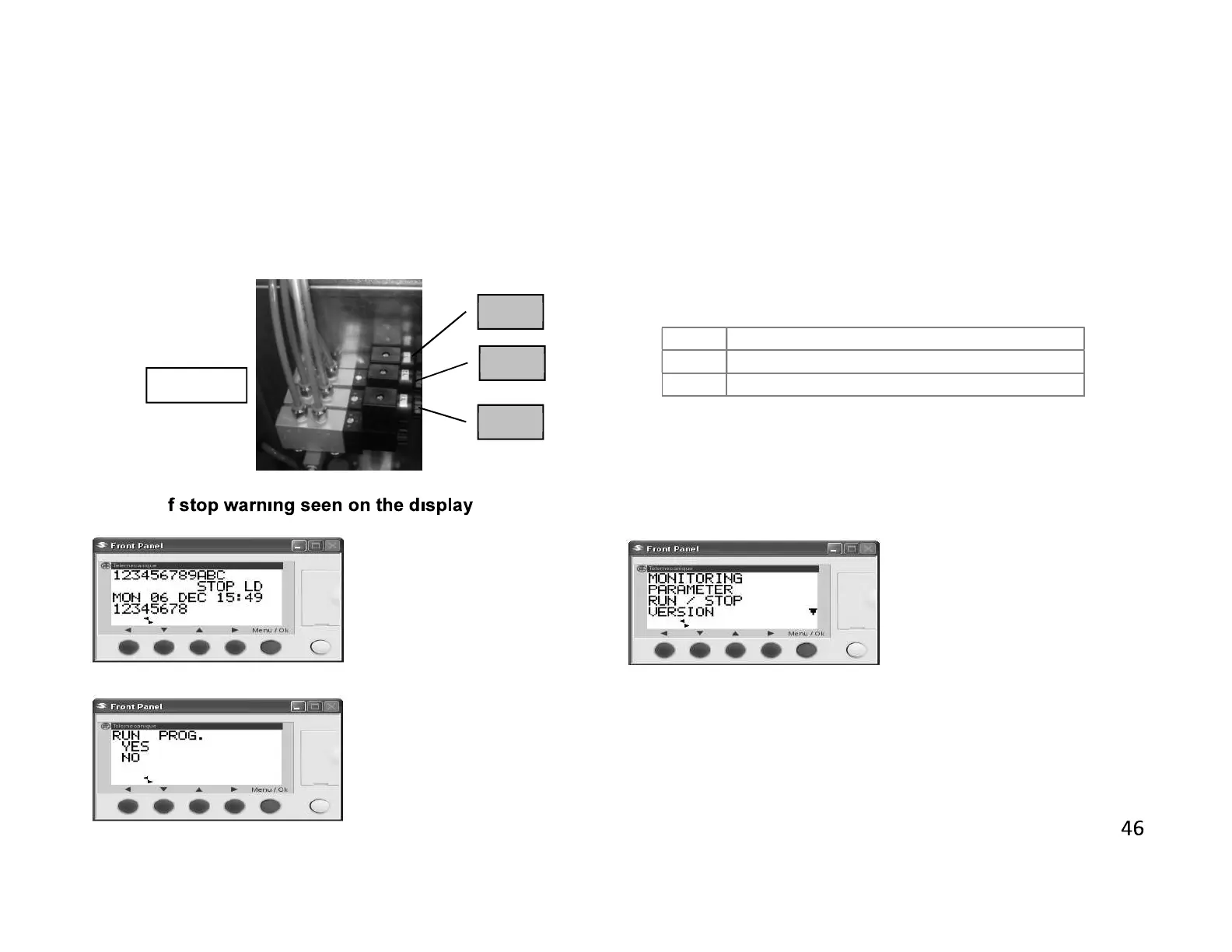
Provide clamps movement
Provide scratching cutters movement .
Provide engine movement
FIGURE-7
Press ok button the screen
below appears
Run prog.using up / down
arrow buttons, point out run /
stop and press Menu / OK
button.
Using up / down arrow buttons
point out yes command
pressing Menu / OK Button your
system passes the run mode.


 To Next Page