HELP! My YOORX Won’t Sync
Don’t worry. Try these steps!
Try these troubleshooting options
to fix syncing problems:
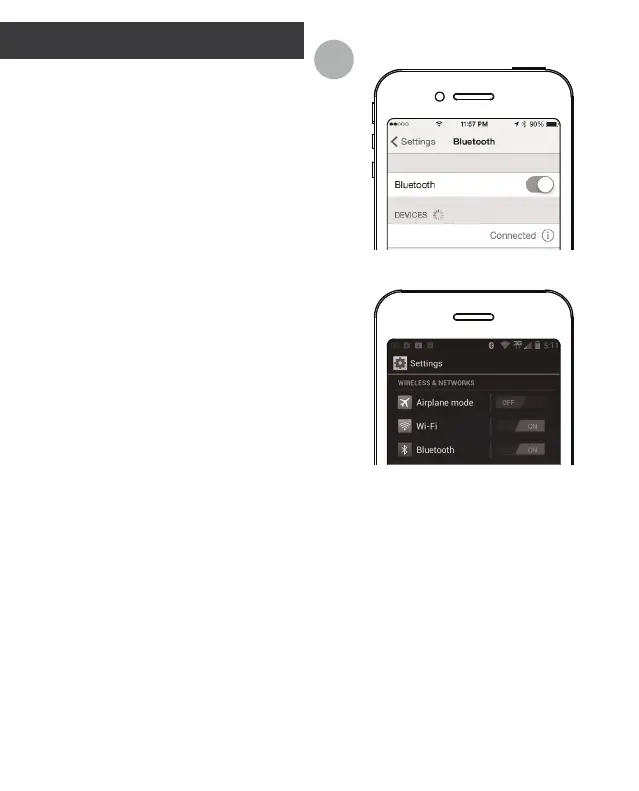
1. Turn o Bluetooth on your
smart device and then turn back
on (fig. A).
2. Charge your YOORX.
Your YOORX baery may be too
low to sync. Try recharging to full
and then sync.
3. (For iOS users only) check
Seings>Bluetooth and confirm
your YOORX is connected.
If not, tap to connect your RX.
4. Try a manual sync.
Tap the menu icon at the top left
corner of the YOO+ app. Tap “Sync
Device”.
5. Try a refresh by turning your
smart device o and then turn
back on.
A
YOO RX


 To Next Page