3
4 Network Connection and Power Supply
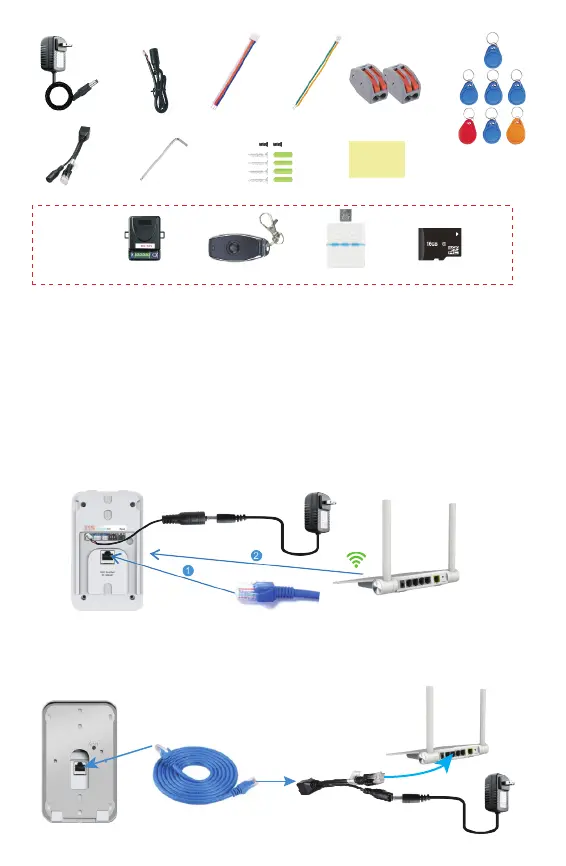
The smart doorbell can be powered and connected to the network in 3 ways, depending
on location of power source and strength of internet connection.
We would recommend that the LAN cable configuration is used if WiFi is not strong enough,
ie the distance between the doorbell and the router is greater than 10 meters.
Power: Connect DC cable to doorbell and then to the power adaptor or AC transformer
and then to mains.
Internet: The doorbell can be connected via LAN Cable. See pic A
Power: Same as 4.1.
Internet: The doorbell can be connected via WiFi. See pic A
Power: Connect the doorbell via LAN Cable (cable not supplied) at RJ45 port to
POE injector and into Router.
Internet: The doorbell can only be connected via LAN Cable if using this configuration.
4.1
4.2
4.3
Unlock control
Indoor chime
Remote control
MicroSD card
3 Accessories
12V Power adapter
DC cable
POE injector
Screwdriver
Screws and stopper
Adhesive tape
Unlock wiring Access wiring
Optional
5* Blue User cards
1* Red Delete card
1* Yellow Add card
2* Connector
ID: 008641
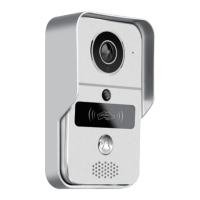
WiFi Doorbell
A
Length Max 50meters
B
AC 8~24V or DC 12~36V
DC 12V


 To Next Page