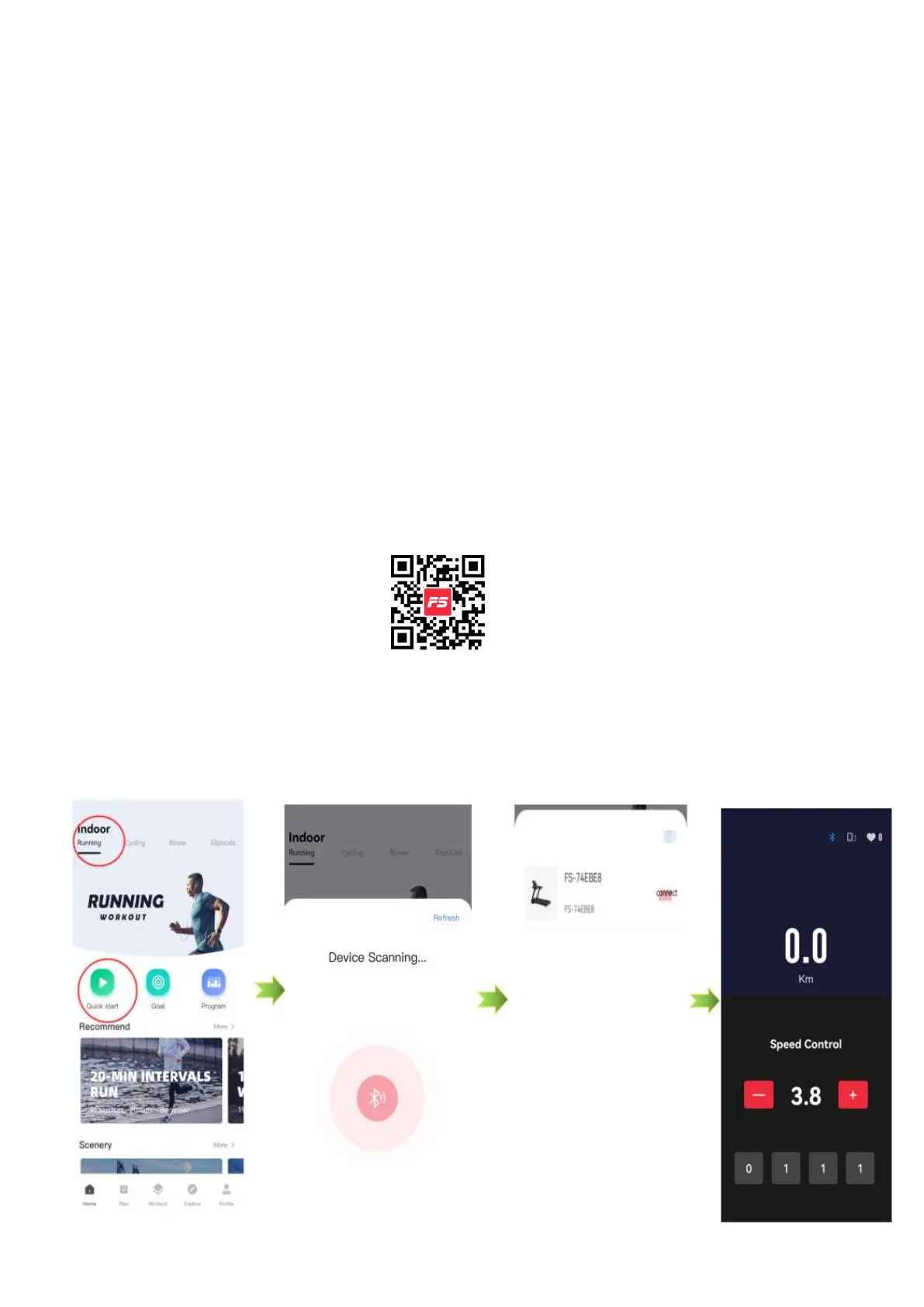
Treadmill supports connecting to mobile App via
Bluetooth
(Note: The scenario simulation function in the FITSHOW ,KINOMAP& ZWIFT APP is free
for a limited time. The final right of interpretation belongs to the official FITSHOW ,
KINOMAP& ZWIFT APP. )
FITSHOW
1. Scan this QR code and download app
2. Open the app and register the personal information.Turn on our phone Bluetooth.
3. Click the “Running”, and then click the “Quick Start” button, the program is
connecting to the machine, wait until the mobile phone program displays the word
connection, and click the connection directly.
Note:In order to ensure correct and fast connection, it is necessary to turn on
the treadmill connection power in advance and turn on the Bluetooth on the
mobile phone.


 To Next Page