Zwift
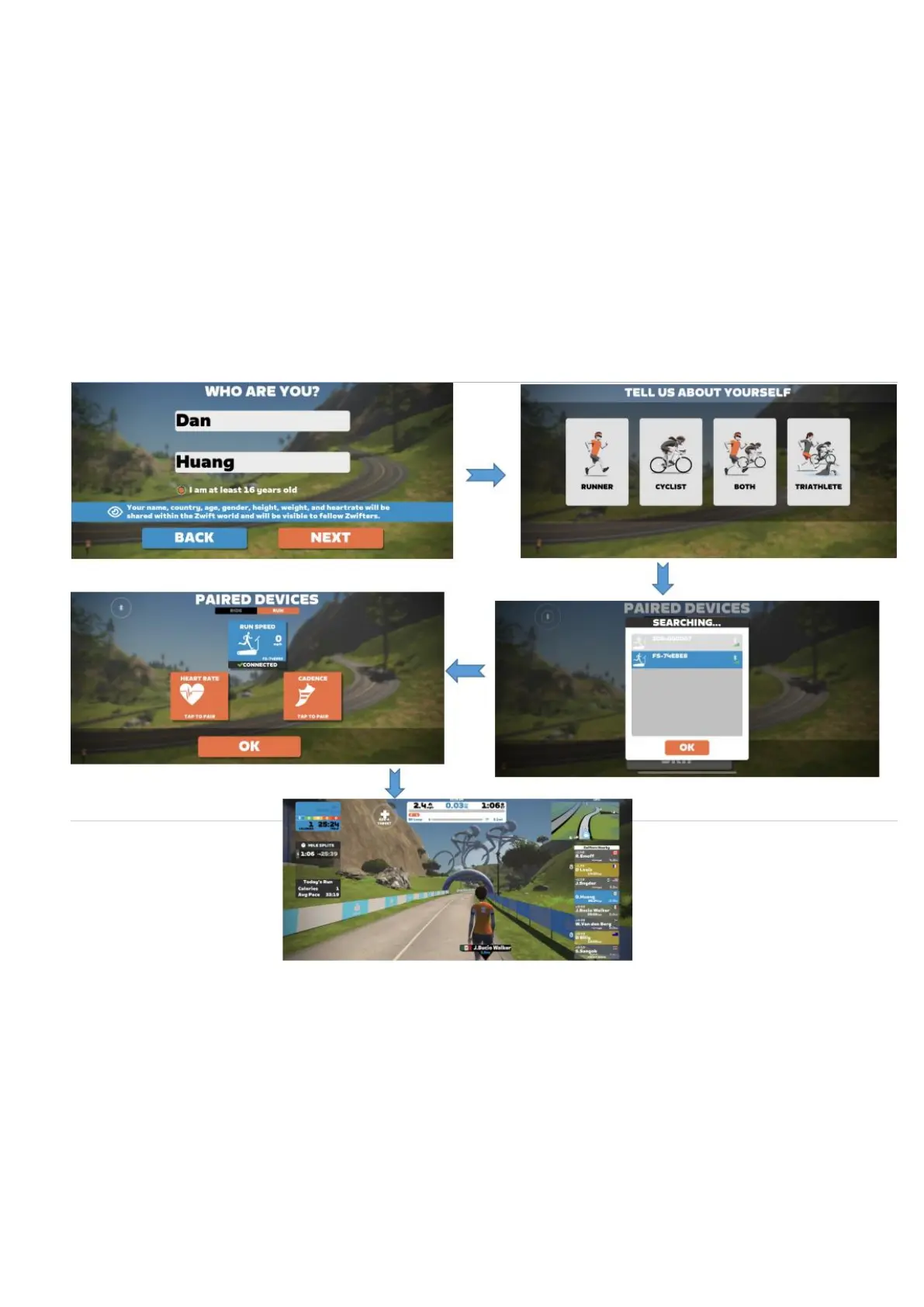
【1】Search "ZWIFT" in the mobile app store to download app and register the
personal information.
【2】Choose to pair running equipment;
【3】After the pairing is successful, click OK to start exercising;
【 4 】 The treadmill needs to press the start button on the device to start
exercising;
Note:The Bluetooth model connected to the APP is not unique, and the
specific model is based on the model displayed on the mobile phone
connection.


 To Next Page