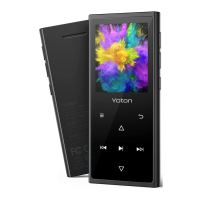
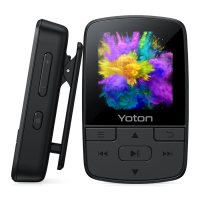
This document is a user manual for an MP3 Music Player, providing specifications, charging instructions, file transfer methods, basic operations, device features, firmware update information, and a FAQ section.
Function Description
The MP3 Music Player is a portable device designed primarily for playing music, but it also offers a range of other functionalities. It supports various audio formats, allowing users to enjoy their music collection on the go. Beyond music playback, the device includes features such as FM radio (requiring wired earphones as an antenna), voice recording, an e-book reader, a picture viewer, and a video player. For fitness enthusiasts, it incorporates a pedometer and a stopwatch. The device has an internal storage capacity and supports expandable memory via a TF card.
Important Technical Specifications
- USB Connection: USB 2.0
- Battery: 370mHA (milliampere-hour)
- Music Format Support: MP3, WMA, APE, FLAC, WAV, DRM, ACELP, OGG, AAC-LC, m4a
- Image Format Support: JPG, BMP, GIF
- Recording Format Support: WAV, MP3
- Video Format Support: AMV
- Lyric Format Support: LRC
- E-books Format Support: TXT
- Compatible System: XP (Home, Pro, with SP1, SP2, SP3), 32bit / Windows 7-10, 64bit / Mac OS/Linux
- Earphone Output: 10mW@32Ω / 20mW@16Ω
- Adapter Output: 0.5A-3A
- Internal Capacity: 8GB
- TF Card Expansion: Up to 128GB (a 64GB TF card is included)
- Battery Life (under specific conditions):
- Music playback: Up to 21 hours
- Video playback: Up to 5 hours
- FM radio: Up to 9 hours
- Voice recording: Up to 23 hours
(These battery life figures are based on tests at room temperature with a volume of 20 and the screen off.)
Usage Features
Power Charging:
Before initial use, the player should be fully charged. Charging can be done by connecting the player to a power adapter or a computer via a USB cable. A charging icon will appear on the player's screen. A full charge typically takes about 2 hours. Once fully charged, the charging icon disappears, and the battery indicator becomes solid. It is important not to overcharge the player. When using an AC adapter, ensure the output voltage is 5V and the output current is between 0.5A and 1A to prevent damage. If a computer doesn't recognize the player, restarting the player and retrying the connection is recommended, ensuring the computer's operating system is compatible (Windows 7/8/8.1/10/XP/Vista/2001, Mac OS, or Linux).
TF Card Storage:
The player comes with 8GB of internal storage and a pre-inserted 64GB TF card. It supports TF cards up to 128GB, which can store approximately 2000 songs for an 8GB capacity.
Transferring Files:
Files can be transferred from a computer to the MP3 player using a USB cable.
- Connect the MP3 player to the computer.
- Select "Charge & transfer" within 5 seconds to access the device in "MY COMPUTER".
- Transfer music files using the drag-and-drop method or music management software like Windows Media Player.
- Before disconnecting, safely remove the device by clicking the USB icon on the desktop.
It is crucial not to disconnect the player during file transfer to avoid data loss or software issues. If the computer fails to recognize the player, try connecting it at least three times. If the problem persists, contact customer support with the order receipt and issue details.
Basic Operating Instructions:
- Turn on/Turn off: Press the Power button for 3 seconds.
- Lock/Unlock Screen: Short press the Power button.
- Fast Rewind / Fast Forward: Hold the Left / Right button.
- Return Back: In any interface, press the Back button to return to the previous menu.
- Reset: If the player freezes, insert a small object (like a pin or needle) into the reset switch hole located beside the earphone hole. This will reset the device, but saved files (e.g., Music Files) will not be deleted.
Device Features:
- Music: Supports resume playback after turning off due to low power or other problems. The music sub-menu offers functions like Equalizer, Volume limit, Sleep Timer, and Bookmarks.
- FM Radio: Requires wired earphones to function as an antenna. Users can change the Tuner Region to find their preferred radio shows.
- Sport (under Setting Menu): Includes a Pedometer (records steps, walking distance, and time) and a Stopwatch (records time in hours, minutes, seconds, and hundredths of a second).
Maintenance Features
Firmware Update:
New firmware releases are intended to improve performance. Users are advised to update to the latest firmware. Before updating, the player should be fully charged. Instructions for firmware updates can be obtained by contacting customer support.
Troubleshooting (FAQ):
- Reset Button: The reset hole is located beside the earphone hole. It should be used when the MP3 player freezes or encounters connection issues. A small object like a paper clip can be used to press the reset button. Updating the firmware to the latest version is also recommended for persistent issues.
- File Format Requirements: The player supports a wide range of formats for different media types:
- Music: MP3, WMA, OGG, APE, FLAC, WAV, AAC-LC, m4a
- Video: AMV
- Recording: WAV, MP3
- Image: JPEG, BMP, GIF
- Multi-functionality: Besides listening to music, the MP3 player can be used for voice recording, listening to FM radio (with wired earphones), reading e-books, browsing pictures, watching videos, and as a stopwatch and pedometer.

 Need help?
 General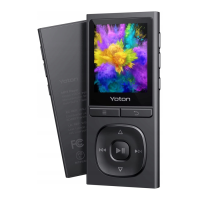

 To Next Page