Need help?
Do you have a question about the YOTON YM05 and is the answer not in the manual?
Item 1 in the package contents list.
Item 2 in the package contents list.
Item 3 in the package contents list, included with the MP3.
Item 4 in the package contents list for charging and data transfer.
Item 5 in the package contents list.
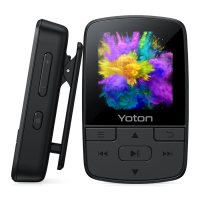
Primary button for turning the device on/off and locking/unlocking the screen.
Buttons used to adjust the audio volume up and down.
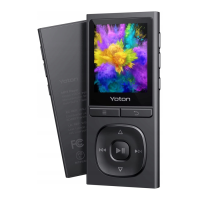
Buttons for menu, back, scrolling, skipping tracks, and playback.
Includes reset hole, micro USB, TF card slot, and earphone jack.
Information regarding initial charging time and battery duration.
Location of the reset hole and instructions for resetting the device.
Steps for transferring files from a computer to the MP3 player.
List of supported audio, video, and image file formats.
Other functionalities of the MP3 player besides music playback.
Instructions to find the detailed owner's manual on the device.
 General
| Model | YM05 |
|---|---|
| Screen Size | 1.8 inches |
| Memory | 8GB |
| Audio Formats Supported | MP3, WMA, WAV, APE, FLAC |
| Video Formats Supported | AMV |
| Additional Features | FM Radio, Voice Recording, E-book reader |
| Display Type | TFT LCD |
| Expandable Memory | Up to 32GB via microSD |
| Bluetooth | Yes |
| Battery Type | Rechargeable Lithium Battery |

 To Next Page