Youshiko YC9415 RC Projection clock
One Step Automatic Set Up:
Connect Clock with power supply and insert required battery or
activate the backup battery, wait for Projection Clock to
self set
automatically
by MSF Radio control system, within few minutes to
few hours or maximum by 05:00 am, depending on the signal or
your location. (After this you never have to do anything, In some
cases it may take up to 24H to self set everything.
Automatic time change for Spring & Autumn and automatic time
checks, This al
so can take up to 24H to self set the time.
Keep the Clock display unit well away from TV / Computer / Wi-Fi
Hub / Mobile phones etc to avoid any interference .
Please Note Before Using:
Every time Clock look for Radio control signal projection clock screen & projection time turns off for few
minutes.
1. If the projection clock screen & projection time turns off when you turn the projection clock on, it's because
it begins to calibrate time automatically based on local radio-controlled time, not because it's faulty. The
screen will light up after it finish the auto time-calibration.
2 . The loudness of alarm sound or ringtone cannot be adjusted.

 Need help?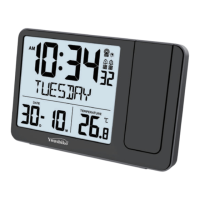

 To Next Page
 General