EasyManua.ls Logo

Youshiko YC8061 - User Manual

Youshiko YC8061
6 pages
Print Icon
To Next Page IconTo Next Page
Loading...
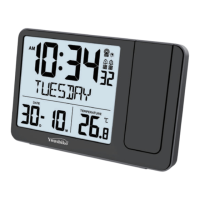
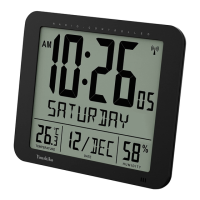
Youshiko YC8061 Radio control Digital Clock
Initial set up:
Install the batteries in the clock and then leave it, Keep it well
away from other electronics devices nearby to avoid any
interference , Radio control signal can or may take time, depends
on the location in UK, but will pick up the signal within few
minutes to few hours ( Max within next 24h ), Clock will set UK
time itself and then You don't have to do anything ever.
USER MANUAL
1. Features
1.1 Time - Radio Controlled Time (RC-MSF)
- 12/24 hour time display selectable
- Daily Alarm function
- Perpetual Calendar Up to Year 2099
1.2 Temperature - Indoor measurable range: -10°C ~+ 50°C
- Measures °C / °F user selectable
1.3 Humidity - Indoor measurable range: 20% ~ 99%
2. Unit Appearance
1
Question and Answer IconNeed help?

Do you have a question about the Youshiko YC8061 and is the answer not in the manual?

Summary

Features

Time

Describes time display, alarm function, and perpetual calendar.

Temperature

Details indoor temperature measurement range and unit selection (°C/°F).

Humidity

Specifies the indoor humidity measurement range.

Unit Appearance

Getting Started

Main Unit

Instructions for inserting batteries into the clock's main unit.

Time and Alarm Setting

Radio Controlled Clock

Explains the automatic scanning process for the MSF time signal.

Manual Time Setting

Step-by-step guide for manually setting time and calendar parameters.

Daily Alarm Function

Details on how to set and view the daily alarm time.

Snooze Alarm Function

Instructions for activating, deactivating, and snoozing the alarm.
Thermometer

Precautions

Specifications

Youshiko YC8061 Specifications

General IconGeneral
BrandYoushiko
ModelYC8061
CategoryClock
LanguageEnglish