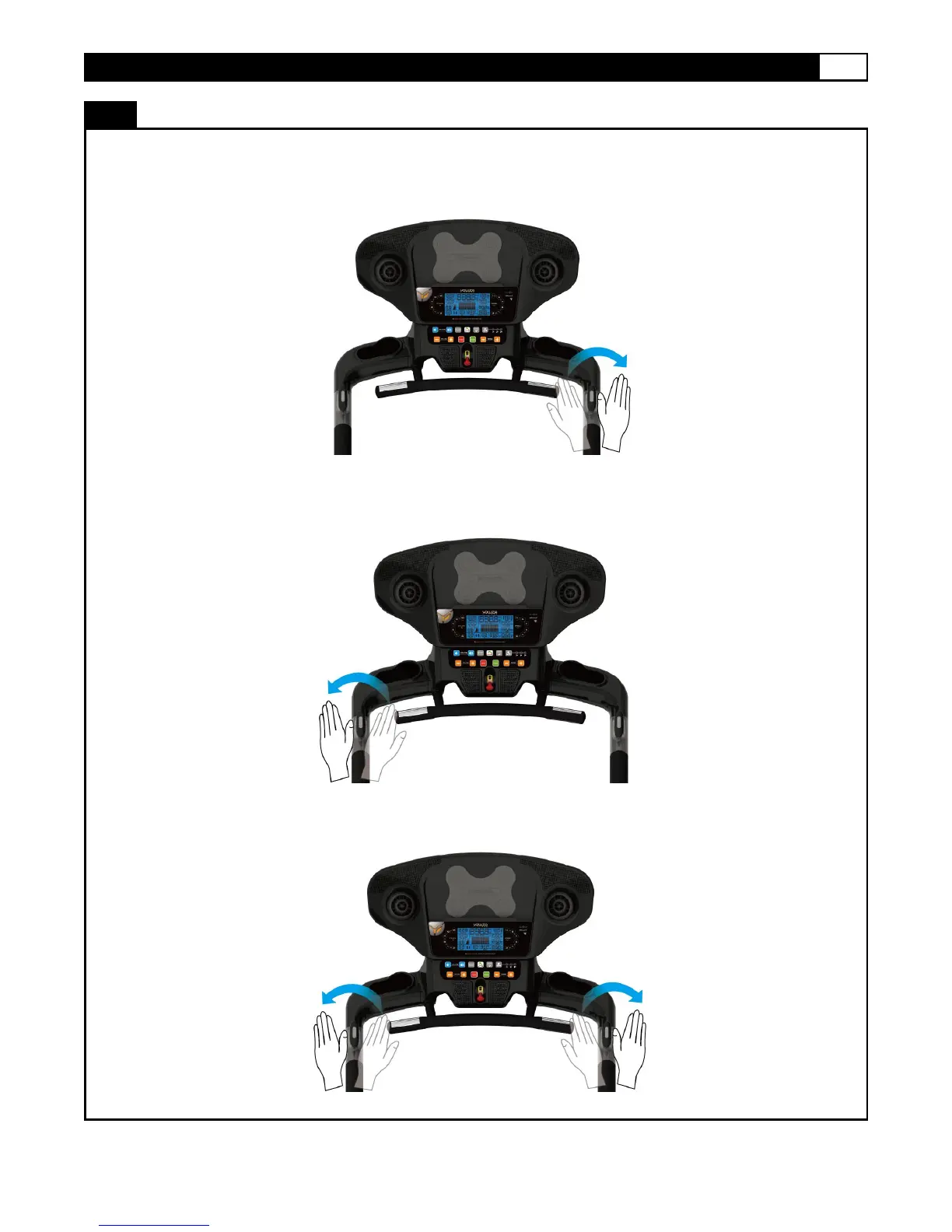
1. After switching on the MOTION CONTROL wave your right hand approximately 6 cm above the motion sensor on the right handle
bar to increase the speed. The sensor will sound one short BEEP per scan and speed up by 0.1 km/mph per BEEP. Holding your right
hand approximately 6 cm above the right sensor results in the sensor repeatedly sounding consecutive BEEPs and increasing the
speed quickly by 0.1 km/hr / mph per second.
2. Wave your left hand approximately 6 cm above the motion sensor on the left handle bar to decrease the speed. The sensor will
sound one short BEEP per scan and decrease speed by 0.1 km/ mph. Holding your left hand approximately 6 cm above the left
sensor results in the sensor repeatedly sounding consecutive BEEPs and decreasing speed quickly by 0.1KM/H per second.
3. Wave both hands approximately 6 cm above both motion sensors at the same time. The sensor will sound two short BEEP sounds
then slow the treadmill belt to a stop.



 To Next Page