Shenzhen Yunmi Intelligent Technology Co., Ltd
JP-Y2 model display specification
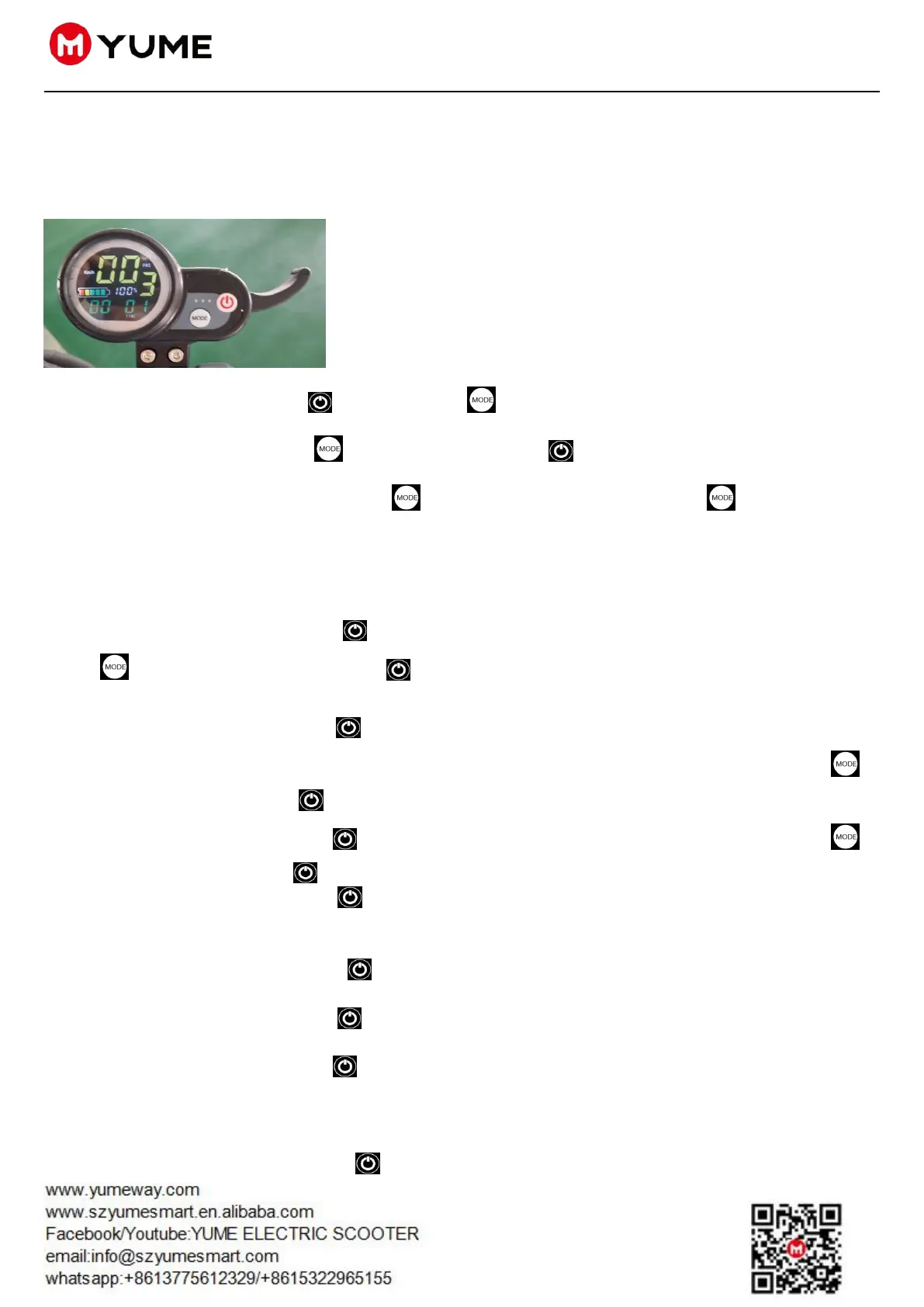
1:JP-Y2 Meter Display
Two buttons on meter display, Power button and function button。
While pressing function button and power button together , data of meter can be set:
While displaying P0, press function button , it will display P1; press function button again, it will display
P2, P3, P4, P5, P6, P7. They mean separately: P0 Wheel diameter setting
;P1 Undervoltage setting; P2 Magnetic pole logarithm setting; P3 Speed signal selection setting; P4 KM/MILE
Exchange Setting; P5 Zero or non-Zero Start Setting; P6 Cruise or no cruise speed selection settings; P7 为 Soft
or hard start Selection Setting
Display P0, press power button , it shows wheel diameter. To change wheel diameter, press function
button to plus one; press power button to subtract one. Wait for seconds, automatic exist waiting for
seconds.
Display P1, press power button , it shows the voltage value of the battery under voltage; for example,
displaying 315 means under voltage value is 31.5V. To change undervoltage value, press function button to
increase 0.5, or press power button to subtract 0.5;
Display P2, press power button , it shows motor’s magnetic pole number. Press function button to
increase 1, or press power button to subtract 1;
Display P3, press power button , it shows 0 or 1 which means speed signal selection Settings. While
displaying 0(generally to choose 0), it means to choose hall signal speed measurement. While displaying 1, it means
to choose external signal;
Display P4, press power button , it shows 0 or 1, which means KM/MILE selection setting. While
displaying 0 means KM, showing Km/h; displaying 1 means MILE, showing Mp/h;
Display P5, press power button , it shows 0 or 1, which means Zero or non-Zero Start Setting (some
scooter do not have). While displaying 0 means zero start; while displaying 1, PAS appear, it means non-zero start;
Display P6, press power button , it shows 0 or 1(some scooter do not have), which means cruise or no
cruise speed selection setting. While displaying 0 means no cruise; displaying 1 means cruise;
Display P7, it shows 0 or 1 which means soft or hard start selection setting(some scooter do not have). While
displaying 0 means soft start(gentle while starting); while displaying 1 means hard start(big impulse at the start)
Display P8,press power button ,it shows
5~100,this option is speed limiting.This option can be



 To Next Page