2
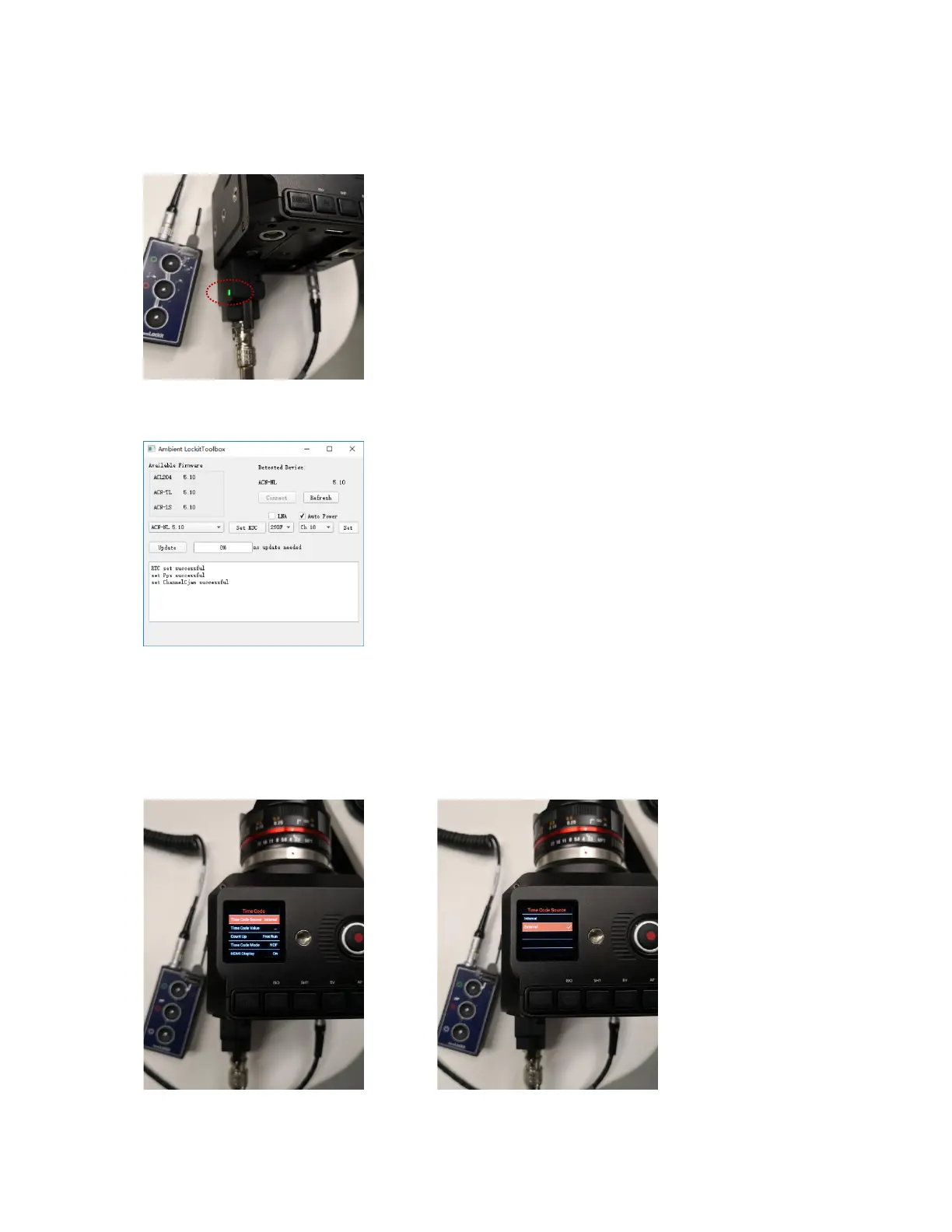
When external time code source device is set correctly and the signal transmission is
working normally, the Signal indicator of the Timecode Adapter will turn Green (Red for
error).
Here is the setting of Ambient NanoLockit:
Step 4
On the camera, go to MENU > Record > Time Code > Time Code Source, and set it to
External.


 To Next Page
 Loading...


