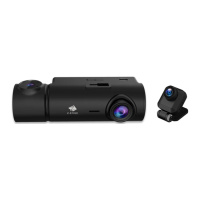
Z3G Quick Guide
WiFi Application Functions
NO. Item Description
Return to the main screen
Enable/disable audio recording
Record a 10 second clip
Orientate map to North
Disconnect the app from the dash camera
Open the settings menu and adjust settings for the
dash camera
Toggle between mph & km/h
Toggle the video view between full and half screen
Take a picture
View/Play/Download/Delete the saved videos and images
Show traffic on the map
Map location
Show & record the dash cam GPS data in the app
Toggle the Map view between full and half screen
Center map on dash camera’s location
Back Arrow
Microphone
Video Camera Icon
Compass
Connection
Settings
Speed
Video Full Screen
Camera
File Manager
Traffic
Map
Route
Map Full Screen
Centre
1
2
3
4
5
6
7
8
9
10
11
12
13
14
15
Recorder Settings
1. Open the app on your smart device.
2. Connect the app to the dash camera.
3. Enter the DVR screen
4. Click the gear icon to open the Recorder
Settings menu.
5. Adjust the settings in the Recorder Settings
menu.
6. Click the back arrow to exit the settings menu.
Downloading the App
1. Search for the “Z-DashCam” app on the
Google Play Store (Android device) / Apple
App Store (iOS device).
2. Then download and install on your Smart
device.
3. Check the WiFi feature is enabled on the
Z3G dash camera. (See user manual 3.13).
4. Open the WiFi settings on your smart device
and select the Z3G Dash Camera. This name
will be Z3G followed by a hyphen and 6
characters. Eg “Z3G-d6effb” Password: 12345678
5. Open the “Z-DashCam” app on your smart device.
6. On the App, click Connect DVR
Share Video & Photos
1. To share videos & photos select the file manager,
10 in the app overview.
2. Choose from Loop Videos, Event videos or Photos.
3. Select the file you want to share then Download it.
(these will be the symbols in the software : “ ”)
4. Disconnect the app from the dash camera, and
connect your smart device to mobile data or a
local WiFi network.
5. Open the app, select local album, and choose
the file you want to share.
6. Click the Share button: “ ”, followed by the
Next button.
7. After making any edits click Share Video.
For any support or comments concerning our products,
please send an email to: Support@zeroedgetechnology.com or Toll-Free NO: +1-866-886-6878
Z3GZ20QGENJP-01

 Need help?
 General

 To Next Page