
 Need help?
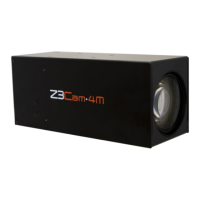
Do you have a question about the Z3 Technology Z3Cam-4M and is the answer not in the manual?
Details the various video resolutions the camera can output.
Instructions for physically connecting and powering on the camera.
Guide to finding and accessing the camera's web interface using ZFinder.
Highlights and explains new features available on the Z3Cam-4M model.
Configuration steps for streaming video output using UDP protocol.
Configuration steps for streaming video output using RTP protocol.
Configuration steps for streaming video output using RTSP protocol.
Configuration steps for streaming video output using RTMP protocol.
Methods to adjust and optimize streaming latency for better performance.
How to configure the camera to output multiple video streams at different resolutions.
Instructions on how to record video streams directly to a USB storage device.
Guide for connecting and configuring an external microphone for audio input.
Methods for capturing still image snapshots from the camera stream.
How to adjust the camera's zoom level using the interface controls.
Instructions for viewing live stream previews and downloading images.
Details on adjusting color settings like white balance, gain, and hue.
How to use Sony VISCA protocol for advanced camera control.
Information on using ONVIF Profile S for camera discovery and control.
How to save current camera configurations as presets.
Instructions to enable and access advanced configuration options.
How to add a timestamp overlay to the video stream.
Steps to configure a static IP address for the camera.
Guide for updating the camera's firmware.
How to set or change the user interface password for security.
Procedure to restore the camera to its original factory default settings.
Information on how to physically mount the camera.
Instructions for setting up and connecting the camera via WiFi.
Specifies hardware and software requirements for PC-based decoding.
Information about a compatible H.265 decoder.
Information about a compatible H.264 decoder.
Detailed explanation of parameters in the System Setup interface.
Describes functions for managing user-defined configuration presets.
Explains how to view the current operational status of the camera.
Details camera-specific settings like focus, exposure, and image controls.
Advanced settings for serial port configuration and PTZ control.
Configuration options for the primary video stream channel.
Configuration options for secondary and tertiary video stream channels.
Explains common controls like Save, Stop, Start buttons.
Details on using the ZFinder utility for network device management.
 General
| Brand | Z3 Technology |
|---|---|
| Model | Z3Cam-4M |
| Category | Security Camera |
| Language | English |

 To Next Page