SELF DIAGNOSE AND EASY TROUBLE SHOOTING GUIDE
Problem
Question 1: No video or picture?
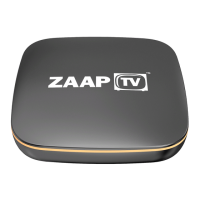
Solution: Switch off your ZaapTV box for 5 minutes, check all cables and then
put the power back on.
Question 2: Picture through ZAAPTV breaks up constantly?
Solution: Call your Internet Provider to check whether you have exceeded your
download monthly data limit and to also check internet speed.
If No, please unplug ZAAPTV Internet Receiver and your wireless modem router
at the same time from the mains power.
Allow 10 minutes for both units to be off and then connect the power only to
your wireless modem router (Do not connect power to ZAAPTV yet). Allow 5
minutes for your wireless modem router to be on until all lights stop flashing,
then connect power to ZAAPTV internet receiver.
If the problem persists, call ZaapTV on 03 9005 5401 during business hours.
Question 3: Some channels stream ok, others break up (occasionally) and others
do not stream at all.
Solution: Technical issues from overseas affecting certain channels, be patient
transmission will resume when problem has been rectified.
Question 4: My ZAAPTV HD809 device is displaying Authorisation Required.
Solution: Please call our Office immediately on 03 9005 5401 or email us at
sales@globetv.com.au
Your device will need to be Re-registered by us. Activating your device with
ZAAPTV (the manufacturer) directly will void any Support Agreements you have
with GlobeTV and you may incur a $65 Service Charge.
For more technical information, go to:
https://www.GlobeTV.com.au/faqs/


 To Next Page
 Loading...