Need help?
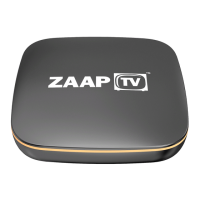
Do you have a question about the ZaapTV HD509N and is the answer not in the manual?
Key considerations for handling, placing, and transporting the device safely to prevent damage.
Proper installation procedures to ensure ventilation and prevent device damage.
Information on FCC compliance, interference, and radiation exposure standards.
Identifies the power indicator on the front panel of the ZaapTV HD509N.
Details the USB ports located on the side panel of the set-top box.
Lists and identifies all connection ports on the rear panel.
Illustrates how to connect A/V and HDMI cables to the rear panel ports.
Diagram showing how to connect the device to a broadband router via Ethernet.
Visual guide identifying each button on the remote control.
Detailed explanation of the function for each numbered button on the remote.
Overview of the initial setup options including language, video, timezone, and network settings.
Checking network availability and understanding bandwidth requirements for smooth playback.
Step-by-step guide to connecting the set-top box to a router using an Ethernet cable.
Instructions for connecting the device to a wireless network, including password entry.
Explains connecting the device via HDMI or AV cables.
Guide to adjusting screen resolution for optimal display via HDMI output.
How to adjust aspect ratio for screen edges to match TV edges.
Details on interfaces, power supply, dimensions, and weight of the HD509N.
Information on the copyright of the work and usage restrictions.
Link and statement regarding the terms of use for the product.
 General
| Brand | ZaapTV |
|---|---|
| Model | HD509N |
| Category | Set-top boxes |
| Language | English |

 To Next Page