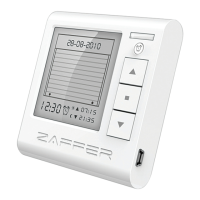
Power input : 3V dc with 2 lithuim batteries
Frequency : 433 MHz.
Working temperature : -20°C + 55°C
Radiated power : Estimed at approx. 1mW
IP : 40
Zaffer B.v.b.a reserves the right to modify
its products without any notice.
CE Declaration of Conformity
ZAFFER B.v.b.a - Weiveldlaan 41 B-1930 Zaventem Belgium, declares that the product.
ONE, meet the essential requirements of the R&TTE directive 1999/5/EC for the intended use of the devices.
Note: A copy of the original declaration of conformity for each product can be requested from ZAFFER Bvba.
1
2
Download and instal zaffer soft from www.zaer.be
Windows based PC. (Windows XP, Windows Vista, Windows 7)
Please connect your device
USB
Click send to device button
To nish
Enter shutter location
C.
A.
B.
Location settings


 To Next Page