20
5. OPERATION
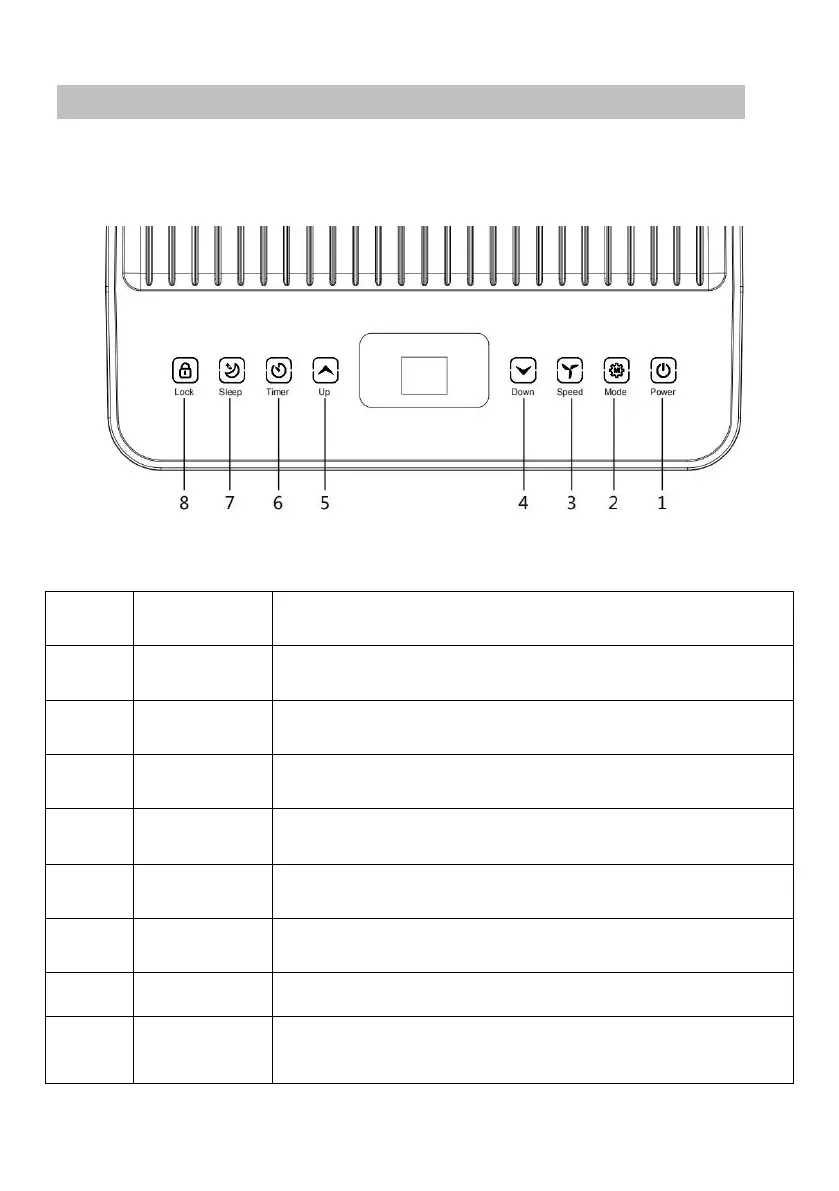
5.1 CONTROL PANEL AND DISPLAY
Press it to switch the machine on or off.
Press it to switch the operation mode among fan,
cooling, and dehumidifier.
Press it to switch the fan speed between HIGH and LOW
Decrease the desired temperature or timer setting.
Increase the desired temperature (61℉−90℉) or timer
setting.
Set a time for the unit to automatically start or stop.
Press to turn on/off the sleep mode.
Long press to turn on/off the child lock function
Display the mode among Cooling, Dehumidifying and
fan.



 To Next Page