Electronic Loads -5-
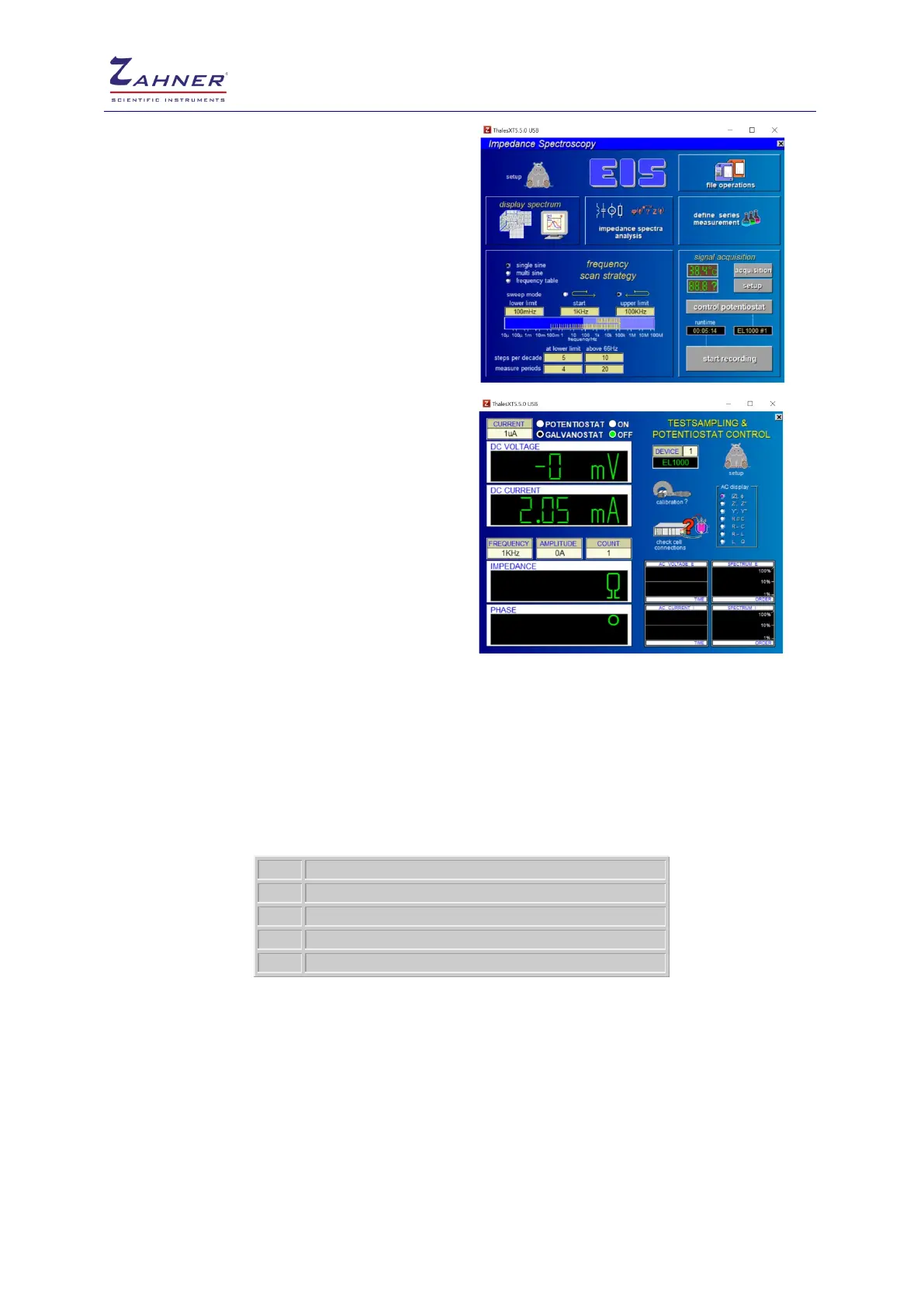
To select a device, call the Test Sampling page by
clicking on the “control potentiostat” option.
Click on “Device” on the left side of Hippo. This will
open an input box. Insert the EPC port number in
which the external device is connected. Here
EL1000 is connected with port 1 of EPC42.
In addition the external device can be calibrated by
clicking on the “calibration?” icon
If no device has been connected to the addressed
EPC42 port, an error message is displayed and the
software automatically selects the internal
potentiostat.
If the selected device is present but has not been activated then the software starts to calibrate it
automatically.
If an external device is changed then the new device has to be calibrated before use. The calibration
is carried out only for the selected device. All other calibration data remains unchanged.
If a device number other than 0 is selected, the parameters of the Test Sampling page now are valid
for the designated device.
The following methods are available for external devices:
Parameter based impedance measurement
current potential curve recording
Multiple parallel current potential curve recording
To change the potential range of the electronic load (here EL1000), click on “check cell connections”
icon.



 To Next Page