Need help?
Do you have a question about the ZALMAN GS1200 and is the answer not in the manual?
Details the technical specifications of the GS1200 computer case.
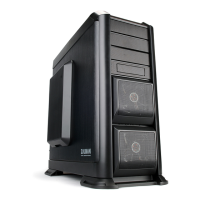
Illustrations showing the front, top, and side views of the GS1200 case.
Diagram and labels for the top panel connectivity ports and HDD docking station.
Visual breakdown of the GS1200 case components with part numbers and quantities.
Illustrations and names of all included accessories and components for the GS1200 case.
Instructions for assembling the stands for the GS1200 computer case.
Step-by-step guide on how to remove the side covers of the GS1200 case.
Guide on installing the Power Supply Unit (PSU) into the GS1200 case, with two orientation options.
Diagrams showing stand-off positions for ATX and m-ATX boards for installation.
Illustrations demonstrating the process of installing a VGA card into the GS1200 case.
Instructions for removing the HDD tray for hot-swap functionality.
Guide for installing 5.25-inch optical drives into the GS1200 case.
Instructions for installing drives into the adapter tray, including FDD and HDD.
Instructions for installing 3.5-inch and 2.5-inch HDDs into the top HDD docking station.
Diagrams of the Hot Swap PCB connections (rear and front) and important cautions.
Guides for connecting power button/LED cables and top panel I/O port cables to the motherboard.
Instructions for installing or replacing side cover fans, both 200mm and 120mm.
Guide on installing an optional 120mm fan into the bottom panel of the GS1200 case.
Steps to remove the fan from the HDD cover tray and its specifications.
 General
| Brand | ZALMAN |
|---|---|
| Model | GS1200 |
| Category | Computer Accessories |
| Language | English |

 To Next Page