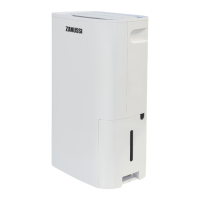
The Zanussi 18L Dehumidifier, model ZDH1802, is designed for indoor residential use to reduce humidity in the air. It operates on a 220-240V AC, 50Hz power supply with a power input of 380W. The device uses R290 (Propane) refrigerant, weighing 85g, which is environmentally friendly but combustible, requiring careful handling.
Technical Specifications:
- Model Number: ZDH1802
- Voltage: 220-240V AC, 50Hz
- Power Input: 380W
- Moisture Removal: 18L per day (at DB 32°C RH = 80%)
- Refrigerant: R290/85g
- Overall Size (D x W x H): 19.2cm x 30.5cm x 49.0cm
- Operating Temperature: 5°C - 32°C
- Weight: 10.7Kg
- Operation Humidity: 30%RH - 90%RH
Function Description:
The dehumidifier works by extracting moisture from the air, collecting it in a water tank or draining it continuously via a hose. It features a control panel with various indicators and buttons for different modes and settings.
Usage Features:
Positioning:
- Intended for indoor residential use only; not for commercial or industrial applications.
- Must be placed on a smooth, level floor capable of supporting the unit with a full water tank.
- Requires at least 45cm of air space on all sides and above for proper air circulation.
- Operates best in temperatures above 5°C (41°F) to prevent frost buildup on coils, which can reduce performance.
- Should be placed away from heat sources like clothes dryers, heaters, or radiators.
- Most effective in an enclosed area with all doors, windows, and other outside openings closed.
- Not suitable for outdoor use, next to a source of fire, in areas with oil splashes, direct sunlight, water splashes, near baths, showers, swimming pools, greenhouses, or where flammable gases or liquids are present.
- Always store the unit in an upright position to maintain compressor function.
Turning the Unit On:
- Remove all packaging and plug the unit into an earthed socket.
- Ensure the water tank is correctly positioned and the drain hole is clear if using the tank.
- Press the Power button to turn the dehumidifier on/off; the power indicator light will illuminate when on.
- Upon initial startup, it defaults to continuous extraction mode (maximum rate) and high fan speed.
Safety Features:
- Automatic Shut-off: The unit automatically stops when the water tank is full, removed, or not properly positioned. It also stops when the selected humidity level is reached.
- 3-Minute Restart Delay: After stopping, the unit cannot be restarted for 3 minutes to protect the appliance. Operation resumes automatically after this delay.
- Frost Protection (Auto Defrost): If frost builds on the evaporator coils, the compressor cycles off, and the fan continues to run until the frost disappears.
- Auto-Restart: In case of a power cut, the unit restarts with its previous settings once power is restored.
Operating Modes:
- Dehumidify Mode:
- Press the Mode button until the Dehumidify indicator light is on.
- Humidity levels can be set to 40%, 50%, 60%, or 70% using the Humidity level button. The setting activates if no further button press occurs within 5 seconds.
- Fan speed can be adjusted.
- Timer function can be set.
- Cancel by pressing Power or Mode button.
- Turbo Mode:
- Press the Mode button until the Turbo indicator light is on.
- Automatically sets fan speed to high and humidity to 30% (all humidity indicators off).
- Humidity and fan speed cannot be adjusted in this mode.
- Timer function can be set.
- Cancel by pressing Power or Mode button.
- Dry Mode:
- Press the Mode button until the Dry indicator light is on.
- Automatically sets humidity to 15% (all humidity indicators off) and fan speed to high.
- Do not cover the air outlet or place wet clothing directly above the unit.
- Must be operated in a closed room; do not operate with open doors or windows.
- Place clothes 30-50cm from the unit for best drying results.
- Humidity cannot be set in this mode.
- Timer function cannot be set. If Dry mode is selected, after 24 hours, the appliance will automatically switch to Dehumidify mode if there is no operation.
- Cancel by pressing Power or Mode button.
- Continuous Dehumidifier (Extraction) Mode:
- Press the Mode button until the Continuous Dehumidifier indicator light is on.
- Automatically sets humidity to 15% (all humidity indicators off).
- Runs at maximum extraction rate until the water tank reaches max fill level.
- Humidity cannot be set.
- Timer function cannot be set.
- Fan speed can be adjusted.
- Cancel by pressing Power or Mode button.
Timer Function:
- Delayed Start:
- Unit must be OFF to program.
- Press the Timer button; the 2h indicator lights up. Press again to select 2, 4, or 8 hours. The timer activates if no further button press occurs within 5 seconds.
- The selected time indicator light remains illuminated, and the countdown begins.
- Auto Stop:
- Unit must be ON to program.
- With power on, press the Timer button; the 2h indicator lights up. Press again to select 2, 4, or 8 hours. The timer activates if no further button press occurs within 5 seconds.
- The selected time indicator light remains illuminated, and the countdown begins.
- Cancellation: Turning the unit On or Off, or setting the timer to "off," cancels Delayed Start or Auto Stop. These functions are also cancelled if the water drawer is full.
Fan Speed Control:
- Adjust fan speed (Low or High) using the fan speed selection button.
- High speed for maximum moisture removal.
- Low speed for quieter operation (e.g., at night).
- Fan speed can be set in Dehumidify Mode and Continuous Dehumidify Mode.
- Fan speed cannot be set in Turbo Mode or Dry Mode.
Water Collection:
- Water Tank Collection:
- When full, the unit stops, and the Full indicator light illuminates.
- Slowly pull out the tank by gripping the left and right handles.
- Empty the water and reinsert the tank securely for the dehumidifier to restart (after 3 minutes).
- Do not touch internal parts when removing the tank to avoid damage.
- If water remains in the unit after tank removal, dry it.
- Continuous Draining:
- Attach a hose with an inner diameter of 13.5mm to the Drain Hose Outlet on the back of the unit after removing the rubber bung.
- Lead the hose to a suitable drainage facility, ensuring it is lower than the drain outlet for smooth flow.
Maintenance Features:
Cleaning the Air Filter:
- Located behind the air intake grille on the rear of the appliance.
- Check and clean at least every 30 days, or more often if needed.
- Removal: Push both tabs on the Air Inlet Grille upwards.
- Cleaning: Wash with warm, soapy water, rinse, and let dry.
- DO NOT clean the filter in an automatic dishwasher.
- Replacement: Insert the top of the Air Inlet Grille/Filter into the unit, then click the bottom tabs into place.
- CAUTION: Do not operate without a filter, as dirt and lint will clog the unit and reduce performance.
Cleaning the Grille and Case:
- Turn off the dehumidifier and unplug it before cleaning.
- Use water and a mild detergent; do not use bleach or abrasives.
- Do not splash water directly onto the main unit to prevent electrical shock, insulation deterioration, or rust.
- Clean air intake and outlet grilles with a vacuum attachment or brush.
Cleaning the Water Tank:
- Clean every few weeks to prevent mold, mildew, and bacteria growth.
- Partially fill with clean water, add a little mild detergent, swish, empty, and rinse.
- NOTE: Do not use a dishwasher.
- Ensure the tank is securely seated after cleaning for the dehumidifier to operate.
Long-Term Storage:
- After turning off, wait 24 hours before emptying the drawer.
- Clean the main unit, drawer, and air filter.
- Wrap and bundle the power cord.
- Cover the unit with a plastic bag.
- Store upright in a dry, well-ventilated place.
Troubleshooting:
The manual provides a troubleshooting guide for common issues:
- Unit does not start: Check plug, fuse/circuit breaker, water tank position/fullness, 3-minute restart delay, and delayed start function. Ensure room humidity is not below 35%.
- Dehumidifier does not dry air: Allow enough time for moisture removal, check for obstructions (curtains, furniture), adjust humidity selector, ensure doors/windows are closed, check room temperature (must be above 5°C), and identify other sources of water vapor (e.g., kerosene heater).
- Unit makes loud sound: Check for clogged air filter, ensure the unit is upright, and verify the floor surface is level.
- Frost appears on coils: This is normal due to the Auto Defrost feature.
- Water on the floor: Check for loose hose connections (if continuous draining is used) or ensure the back drain plug is in place if using the water tank.
Customer Services and Spare Parts:
For customer services and spare parts, contact 0330 1230 597 or visit www.zanussiheatingandcooling.uk.
Available spare parts include:
Guarantee:
The product is guaranteed for 12 months from the original purchase date against defects due to faulty materials or workmanship. Faulty products must be returned to the place of purchase with proof of purchase. Refund or replacement is at the retailer's discretion.
Conditions:
- Product must be returned with original proof of purchase.
- Must be installed and used according to instructions.
- Intended for domestic use only.
- Warranty does not cover wear and tear, damage, misuse, or consumable parts.
- Does not affect statutory rights.
Electrical Safety:
- Must be plugged into an earthed socket.
- Verify supply voltage matches rating plate (220-240V AC; 50Hz).
- Non-rewireable plug: if fuse needs changing, refit fuse cover. If lost/damaged, obtain replacement before use.
- Fuse Change (13 amp fuse only): Slot screwdriver into recess of fuse holder, pull upwards, slide fuse out, replace fuse, push holder down until locked.
- Do not use adaptors or extension leads.
- Do not use if plug is damaged.
- Do not pull, twist, or damage the power cable.
- Do not plug/unplug with wet hands.


 To Next Page
 General