
 To Next Page
S
sandra52Jul 26, 2025
Why is my Zap Scooter losing speed?
- MMichael LucasJul 26, 2025
Your Zap Scooter might be losing speed due to a low battery. Try recharging it for 6-8 hours. Alternatively, if the battery is old, consider replacing it.

Why is my Zap Scooter losing speed?
Your Zap Scooter might be losing speed due to a low battery. Try recharging it for 6-8 hours. Alternatively, if the battery is old, consider replacing it.
What to do if the power light on my Zap Zappy 3 Pro doesn't turn on?
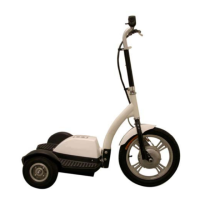
If the power light by the thumb throttle does not illuminate when your Zap Scooter is on, the battery might be discharged, so recharge it. Another cause may be a loose connection inside the scooter; in that case, remove the battery compartment cover and check all wire connections, reconnecting any loose wires. Finally, the fuse might be blown, so try replacing it.
What to do if my Zap Zappy 3 Pro Scooter doesn't stop when I squeeze the brake?
If your Zap Scooter doesn't stop when you squeeze the brake lever, the brakes may not be adjusted properly. Adjust the brake by loosening the bolt on the rear brake wheel, pull the cable and retighten the bolt.
What to do if Zap Zappy 3 Pro Scooter power light is on but the scooter doesn't work?
If the power indicator by the thumb throttle illuminates but your Zap Scooter still does not work, the throttle handle may not be operating properly. Replace the throttle handle. Contact your local dealer to order a new throttle.
Why is there a clicking noise coming from the motor of my Zap Zappy 3 Pro Scooter?
If you hear a clicking noise coming from the motor of your Zap Scooter, a brush in the motor may have come loose. Replace the motor. Call your local dealer to order a new 350w motor.
Important guidelines and precautions for safe operation of the scooter.
Details of parts located on the handlebar, including controls and levers.
List of tools provided with the scooter for assembly or maintenance.
Instructions for charging the scooter's batteries and initial charging cycles.
Recommendation for maintaining battery health by charging after each use.
Guidance on operating the scooter, including controls and speed.
Step-by-step instructions on how to fold the scooter for storage or transport.
Guidelines for battery maintenance and general care of the scooter.
Common problems and their solutions for the electric tri scooter.
 General