Introduction of the Machine
■
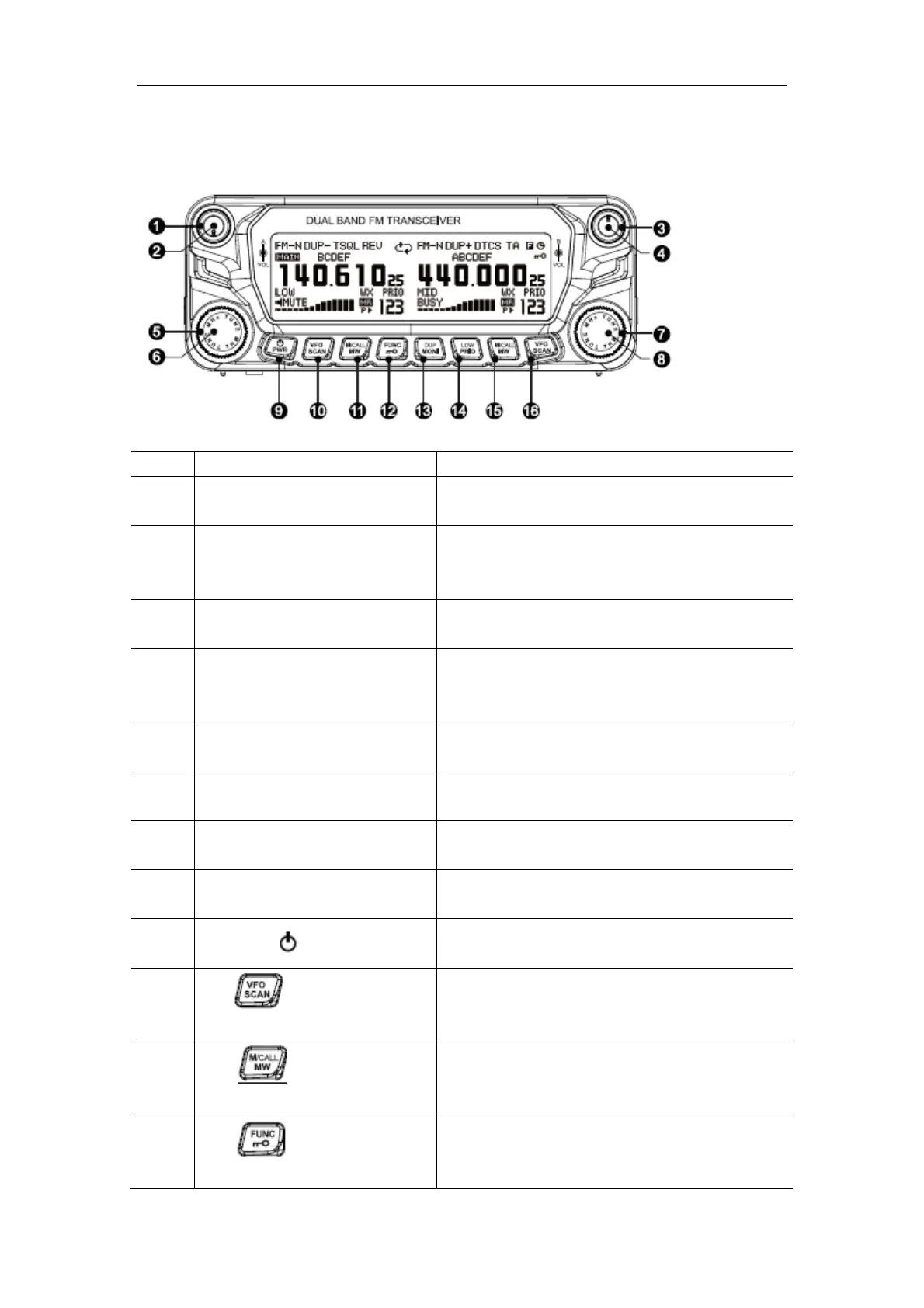
Front Panel
No. Keys and Buttons Functions
1 left main mode key
[MAIN·BAND]
press the key and set the left band to be the main
band mode
2 left volume key [VOL] switch it clockwise to increase the left side volume
of the machine; switch it anticlockwise to decrease
the left side volume of the machine
3 right main mode key
[MAIN·BAND]
press the key and set the right band to be the main
band mode
4 right volume key [VOL] switch it clockwise to increase the right side
volume of the machine; switch it anticlockwise to
decrease the right side volume of the machine
5 left side on-off band key [DAIL] switch it to choose the frequency/channel of the left
side of the machine
6 left [MHz·TUNE] key under the frequency mode, press the key to enter
the adjustment mode of the MHz
7 right side on-off band key [DAIL] switch it to choose the frequency/channel of the
right side of the machine
8 right [MHz·TUNE] key under the frequency mode, press the key to enter
the adjustment mode of the MHz
9
power key [ ·PWR]
hold the key to turn on or turn off the power
10
left
under the standby mode, press the key to choose
the VFO mode; hold the key to start the frequency
scan
11
Left
under the standby mode, press the key to choose
the channel mode/CALL channel mode; hold the
key to enter the store/delete channel mode
12
under the standby mode, press the key to enter the
second function mode; hold the key to start or close
the clock key on the screen


 To Next Page
 Loading...