13
indication for the storage channel number
14
indication for deleting or adding the scan channel
15
indication for the priority channel scan
16
indication for starting the meteorological warning
channel
17
indication for TSSI/RSSI
18
indication for RSSI or the startup of the monitor
function
19
indication for the high power, middle power and
low power
20
indication for the mute subcarrier frequency
21
indication for the main channel
■
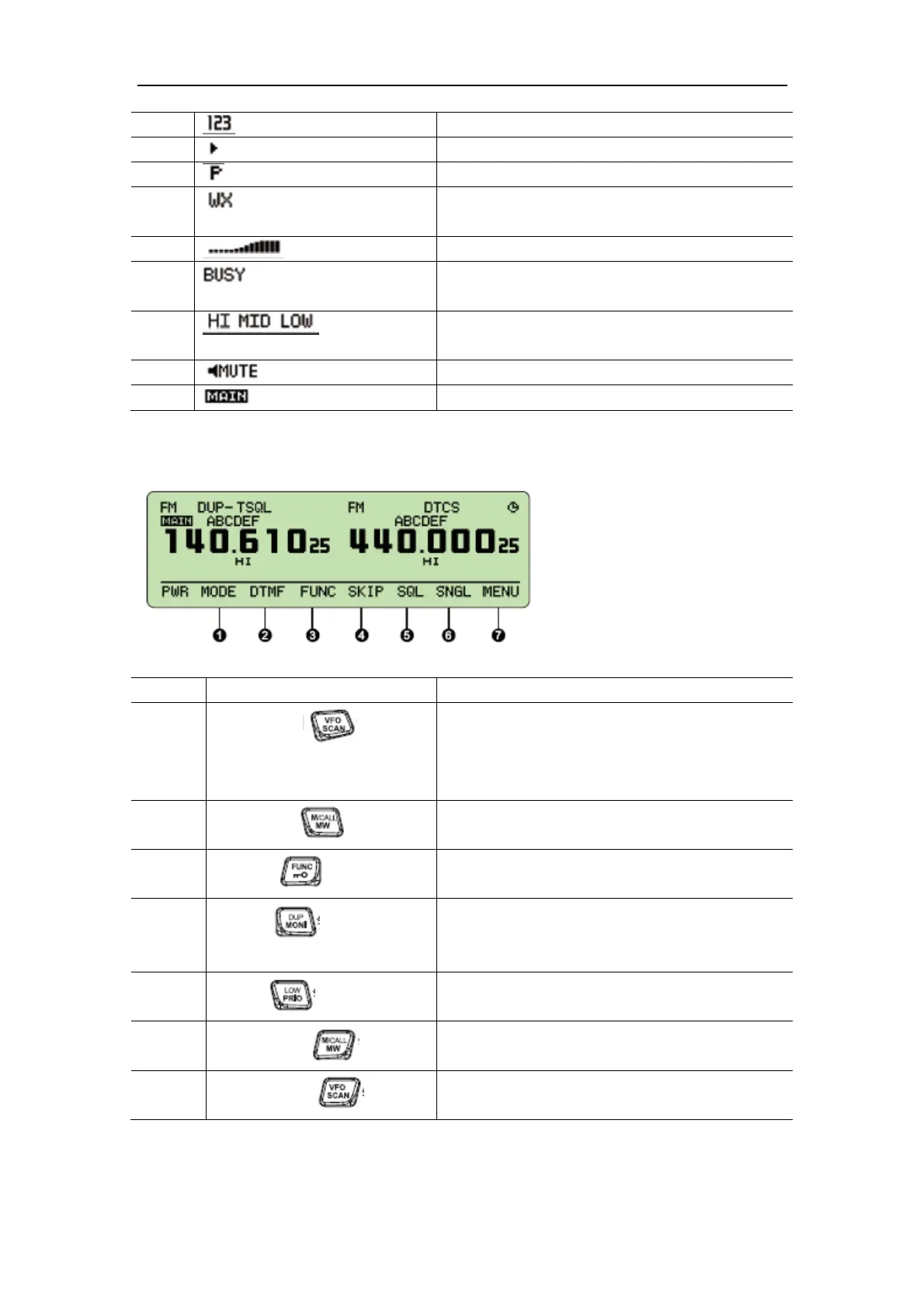
Function Menu
No. Keys and Buttons Functions
1
[MODE](left key)
Press the key to choose the channels of FM
Frequency Modulation, Meteorological Warning,
Air, Radio, and Amplitude Modulation (including
short wave, medium wave and long wave).
2
[DTMF](left key)
Press the key to set the parameters of the DTMF.
3
[FUNC] ( key)
Press the key to start or exit the shortcut operation,
or exit the menu operation.
4
[SKIP] ( key)
Under the main band channel mode, press the key
to start or close the present delete and add functions
of the channel scan.
5
[SQL] ( key)
Under the main band mode, press the key to enter
the adjustment mode of squelch level.
6
[SNGL] (right key)
Under the standby mode, press the key to switch it
into single-band mode or dual band mode.
7
[MENU] (right key)
Under the standby mode, press the key to enter the
mode of function menu operation.
■ Back Panel


 To Next Page
 Loading...