1 UP Increase the frequency value, record the position or
setting value of the channel.
2 Down Decrease the frequency value, record the position
or setting value of the channel.
3 Emergency Warning Key Hold the key to start the warning function, cancel
the operation with a short press
4 Receiver/Transmitter Indicator
Light
The green LED indicator light will be on as the
signal is received.
As the keyboard is launched through pressing the
PTT key, the red LED indicator light will be on.
5 Host/Auxiliary Engine Switch Press the key can switch the left or right engine into
the main channel.
6 Keypad It is used to set the functions, input the VFO
frequency or DTMF dialing.
7 Talk Key Press the [PTT] to enter the transmit operation.
8 Microphone Speak with it as sending messages.
■
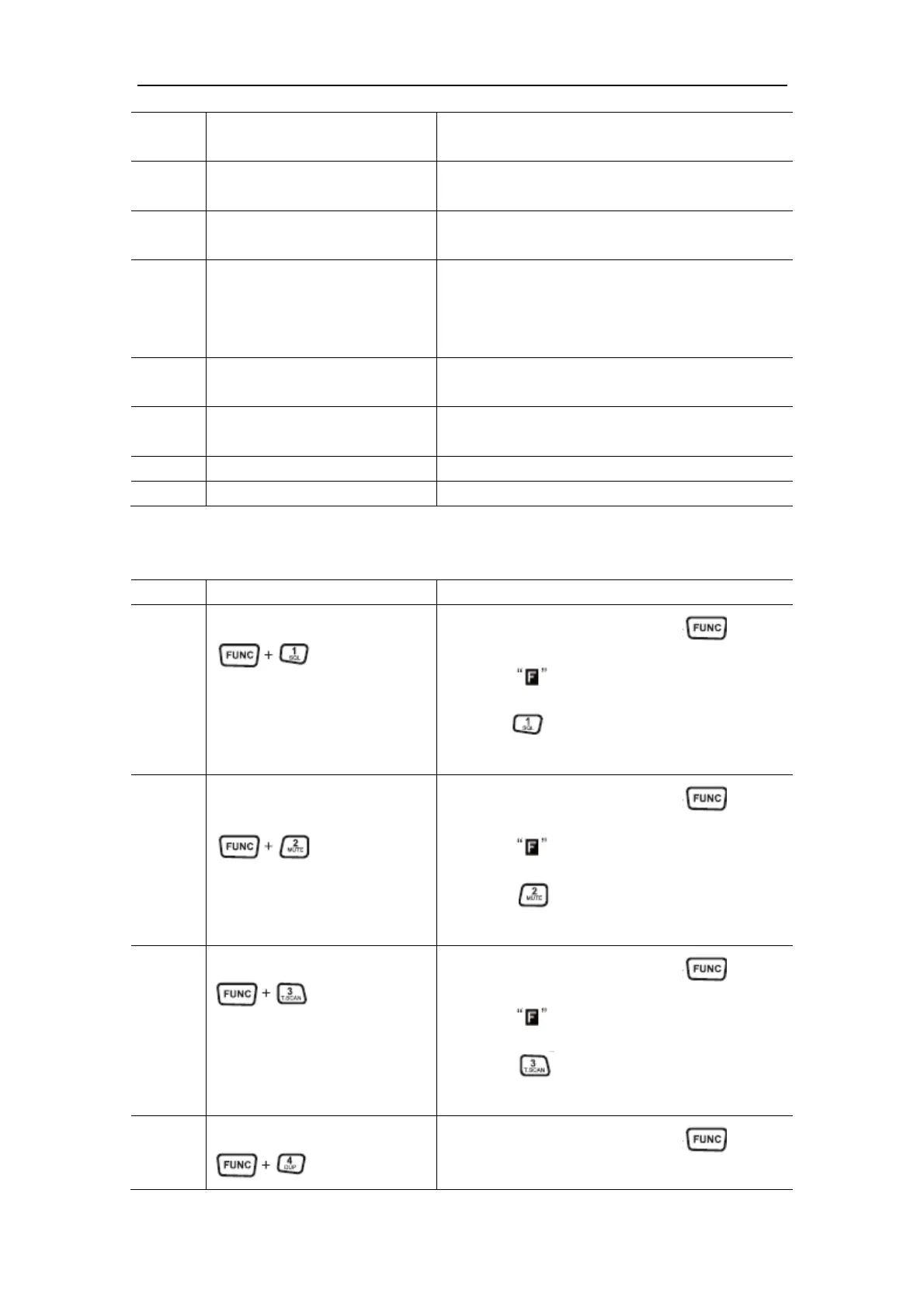
Function Description of the Microphone Keyboard
No. Keys and Buttons Functions
1 Mode of Squelch Level
Under the standby mode, press the key first,
after the is displayed on the screen then
press the key to enter the adjustment mode of
squelch level.
2 Mute Mode of the Main
Channel
Under the standby mode, press the key first,
after the is displayed on the screen then
press the key to start or close the mute
function of the main channel.
3 CTCSS/DCS Scan
Under the standby mode, press the key first,
after the is displayed on the screen then
press the key to start or close the mute
function of the main channel.
4 Duplex Setting
Under the standby mode, press the key first,


 To Next Page
 Loading...