4
Install the hardware and connect all cables
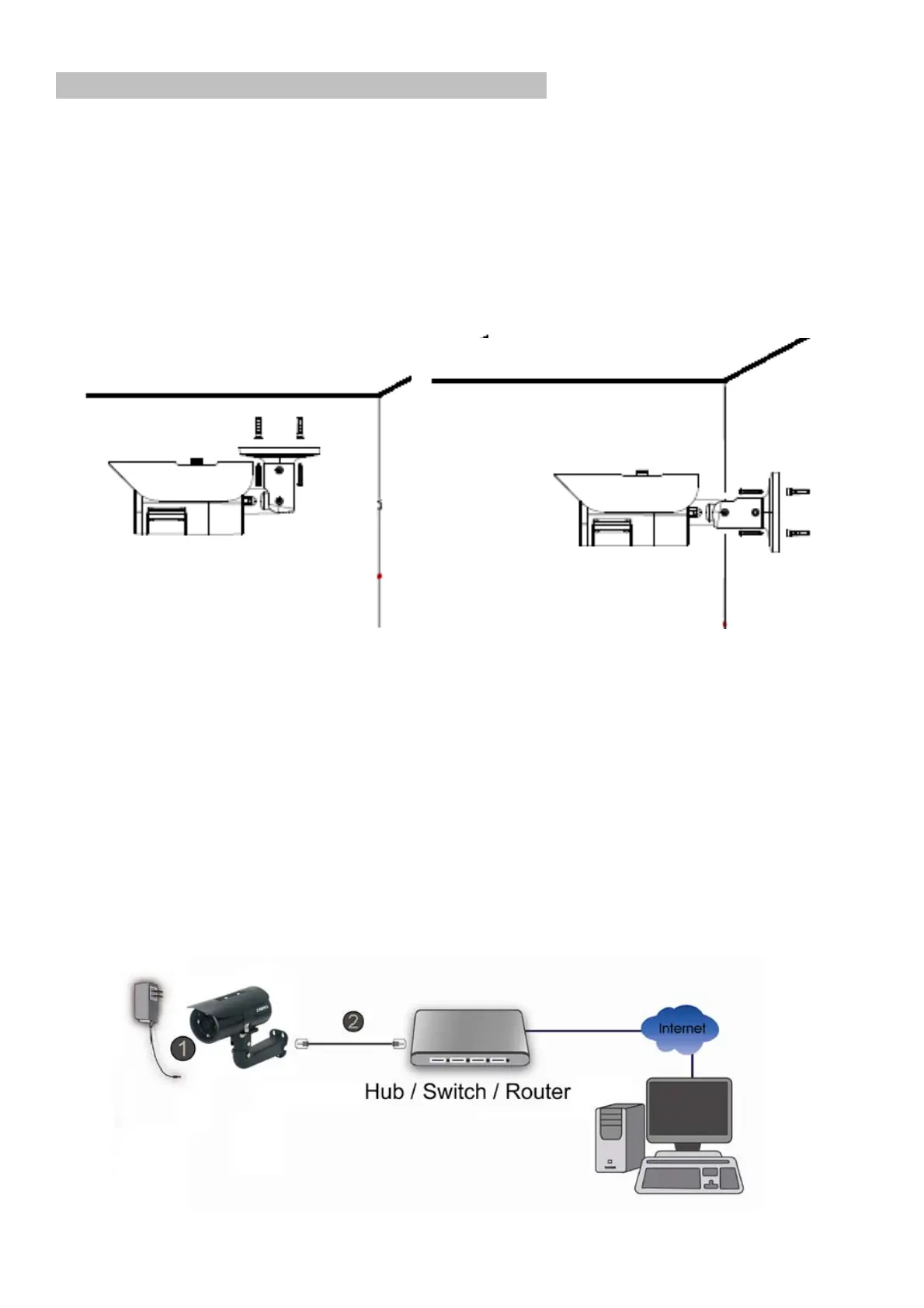
A. Wall mounting and Ceiling mounting
1) Attached the alignment sticker to the wall. Drill four holes into the wall. Then
hammer the supplied plastic anchors into the screw holes and secure the
bracket with supplied screws.
2) Adjust the angle of the bracket to aim the desired area.
Note: when the adjustment is finished, please change the desiccant bag in back
cover.
B. Connect all cables
B1. Without Power over Ethernet (PoE) connection
1. Connect the power adaptor to the IP Camera.
2. Use a standard RJ-45 network cable and connect the IP Camera to a
hub/switch/router.


 To Next Page