5
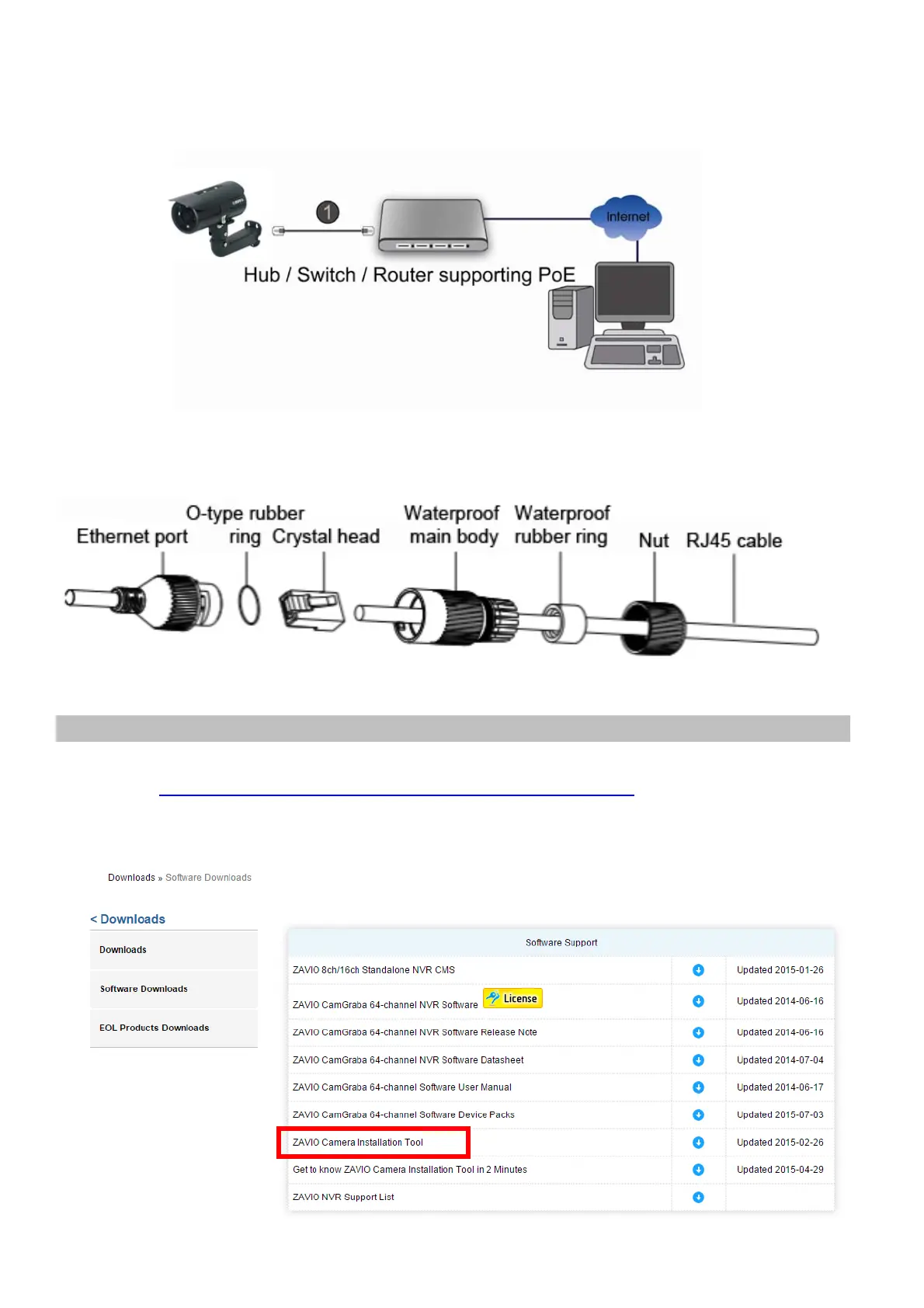
B2. Power over Ethernet (PoE)
1. Use a standard RJ-45 network cable and connect the IP Camera to a
PoE-enabled hub/switch/router.
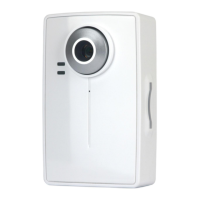
B3. RJ45 waterproof connector
1. Make sure all components are assembled as shown on the below graph.
2. Check that the Ethernet Port and the Waterproof main body are tightly fasten.
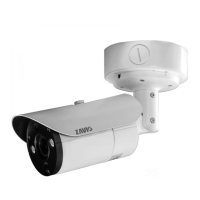
Windows: Go to Zavio Website and download Camera Installation Tool
Please go http://www.zavio.com/softwaredownloads.php download “Camera
Installation Tool”. And follow the installation process to complete the
installation.


 To Next Page