EasyManua.ls Logo

Zavio D7111 - Mac os Using Safari Browser

Zavio D7111
13 pages
Print Icon
To Next Page IconTo Next Page
To Previous Page IconTo Previous Page
Loading...
8
Mac OS using Safari Browser
Lighting environment setting
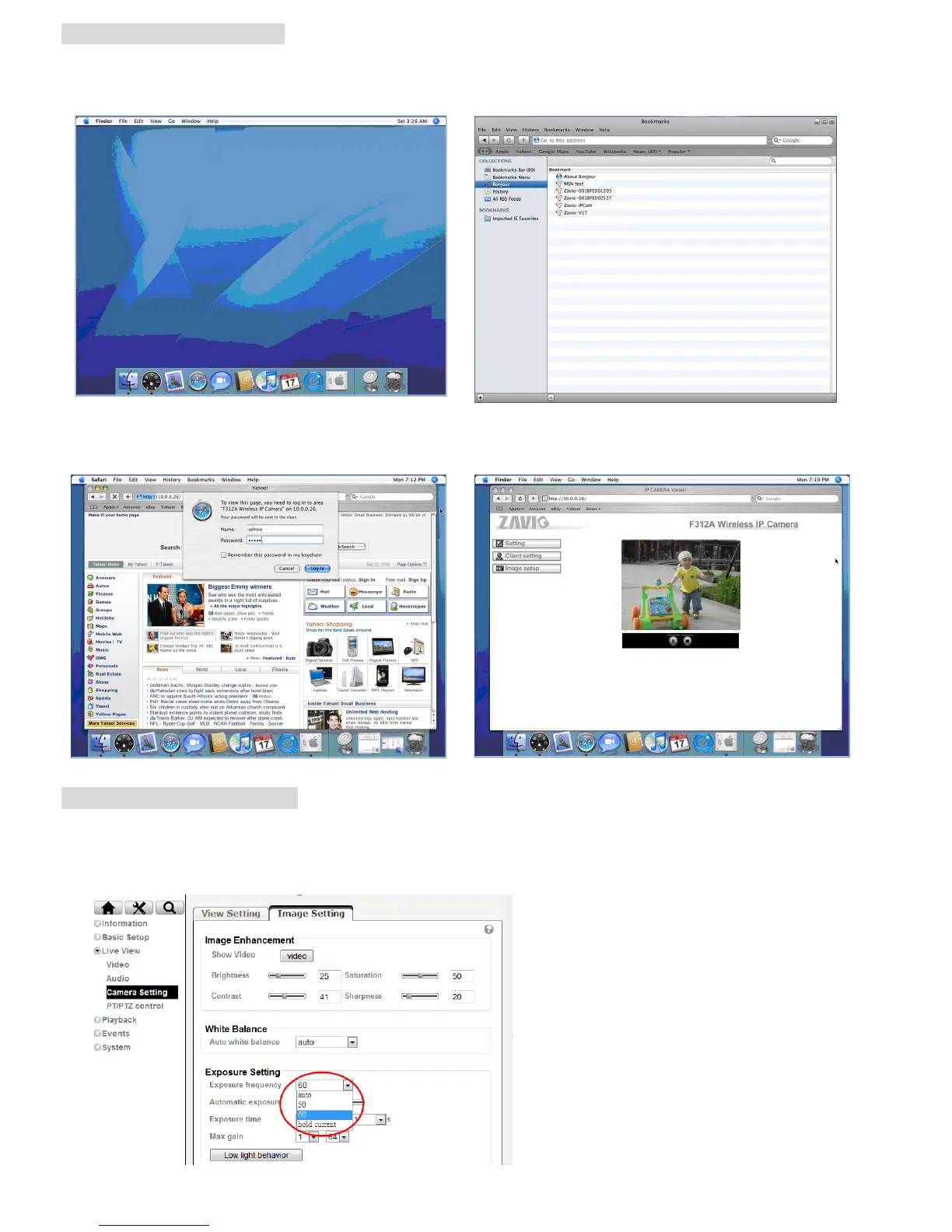
The default setting of lighting environment is Auto. However, you may also select 50 or 60 Hz upon the lighting
environment of your country.
Go to Setting > Live View > Camera Setting > Image Setting, select the environment setting you wish.

1. Select Safari icon
2. Click Bonjour function and select the camera
you wish to access.
3. Enter name and password to login to the IP
camera. (Default is admin / admin)
4. The monitor image will be displayed in your browser.

Related product manuals