13
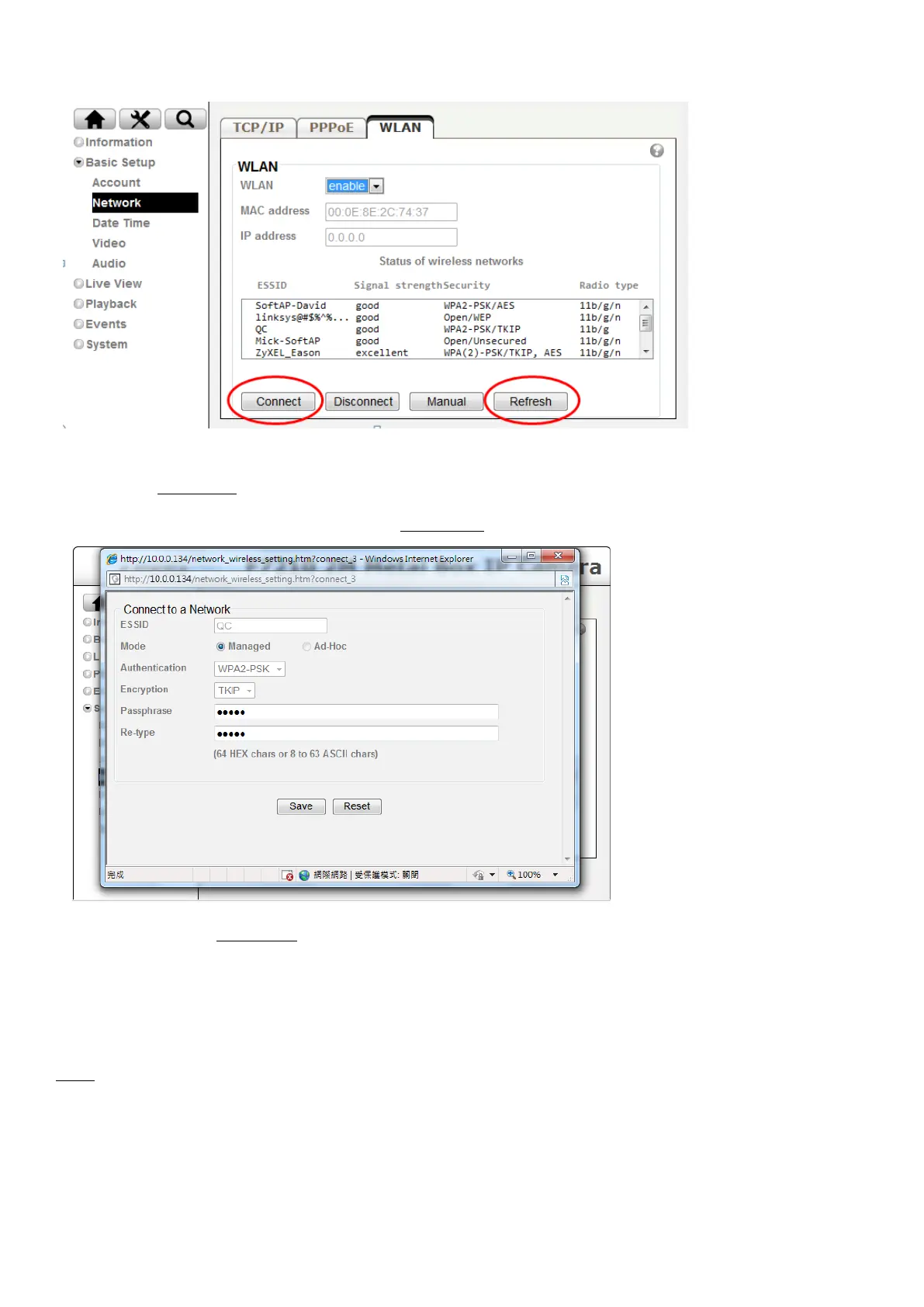
3. Then click “Refresh”. All access points (AP) around you will show up.
4. Select the AP you wish to connect and click “Connect”.
5. Enter password at passphrase if you need. If you don't know the setting of the wireless AP, please ask
your network administrator.
WPS ( for F3107/F3115 only)
WPS (Wi-Fi Protected Setup) also known as a standard for easy and secure establishment of a wireless
home network. Enable it when wireless is turned on, and you will see the wireless IP and MAC of this IP
camera.



 To Next Page