16
Text information can be showed on the display screen, such as Date / Time and the user-defined title.
Privacy Mask
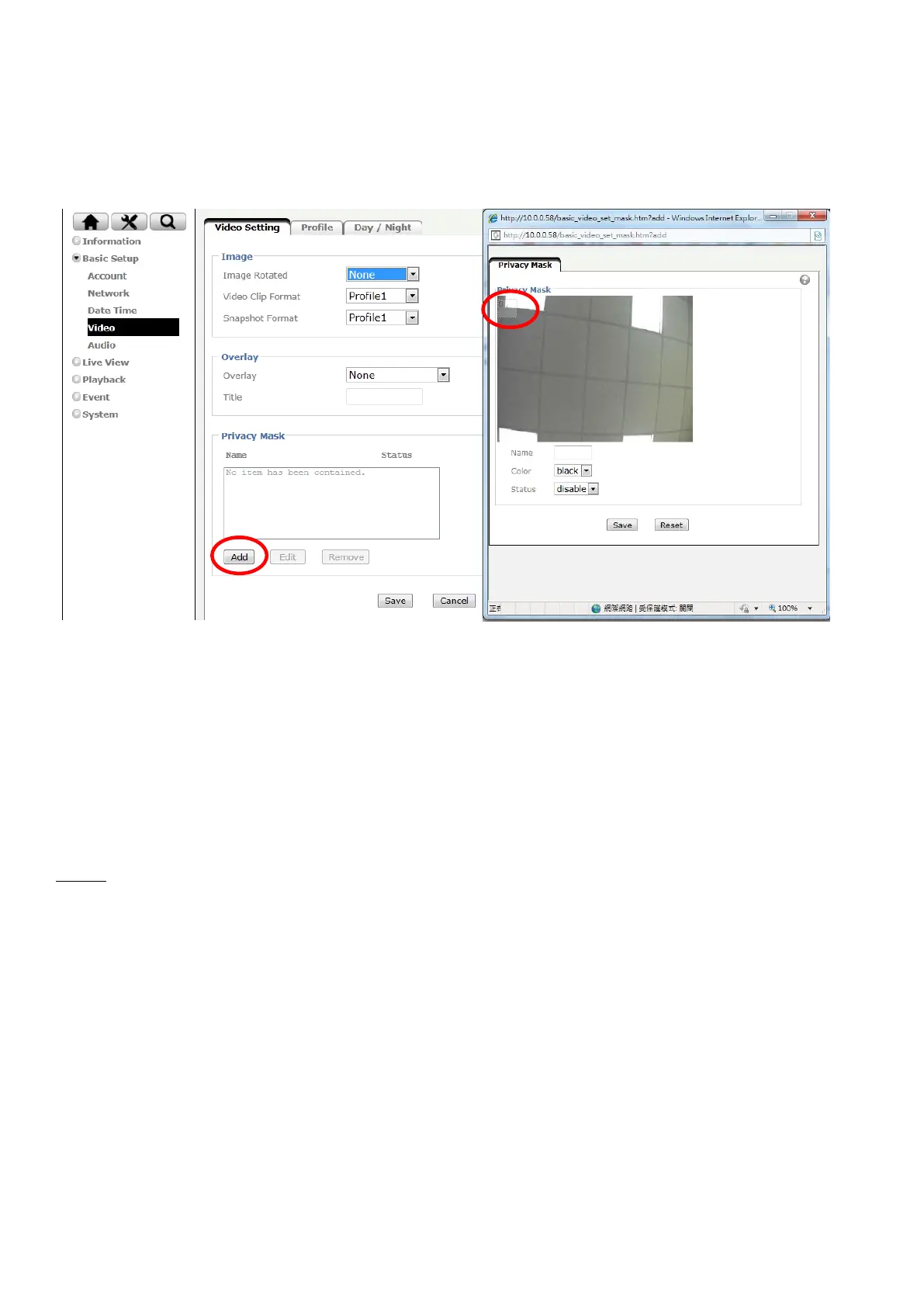
Privacy Mask is an area of solid color that bans users from viewing part of monitored area.
Click “Add” and a setting pop-up window comes out. A translucent rectangle is located at up left of the image,
drag it to where you wish to cover and resize it. Enter a descriptive name, select the color and enable it then
save.
Profile
There are five stream profiles available for quick set-up. These settings can be adjusted and new customized
profiles can be created. Each profile has a descriptive name, describing its usage and/or purpose. The profiles
can be selected from the Live View page.
Create a new stream profile: Click “Add” and a setting pop-up window comes out,
Edit the stream profile: Click the profile you appoint to modify and click “Edit” to do the further setting.



 To Next Page