84 Zebra Z4M/Z6M Printers User’s Guide
=HEUD3URJUDPPLQJ/DQJXDJH=3/,,
%DUFRGHV
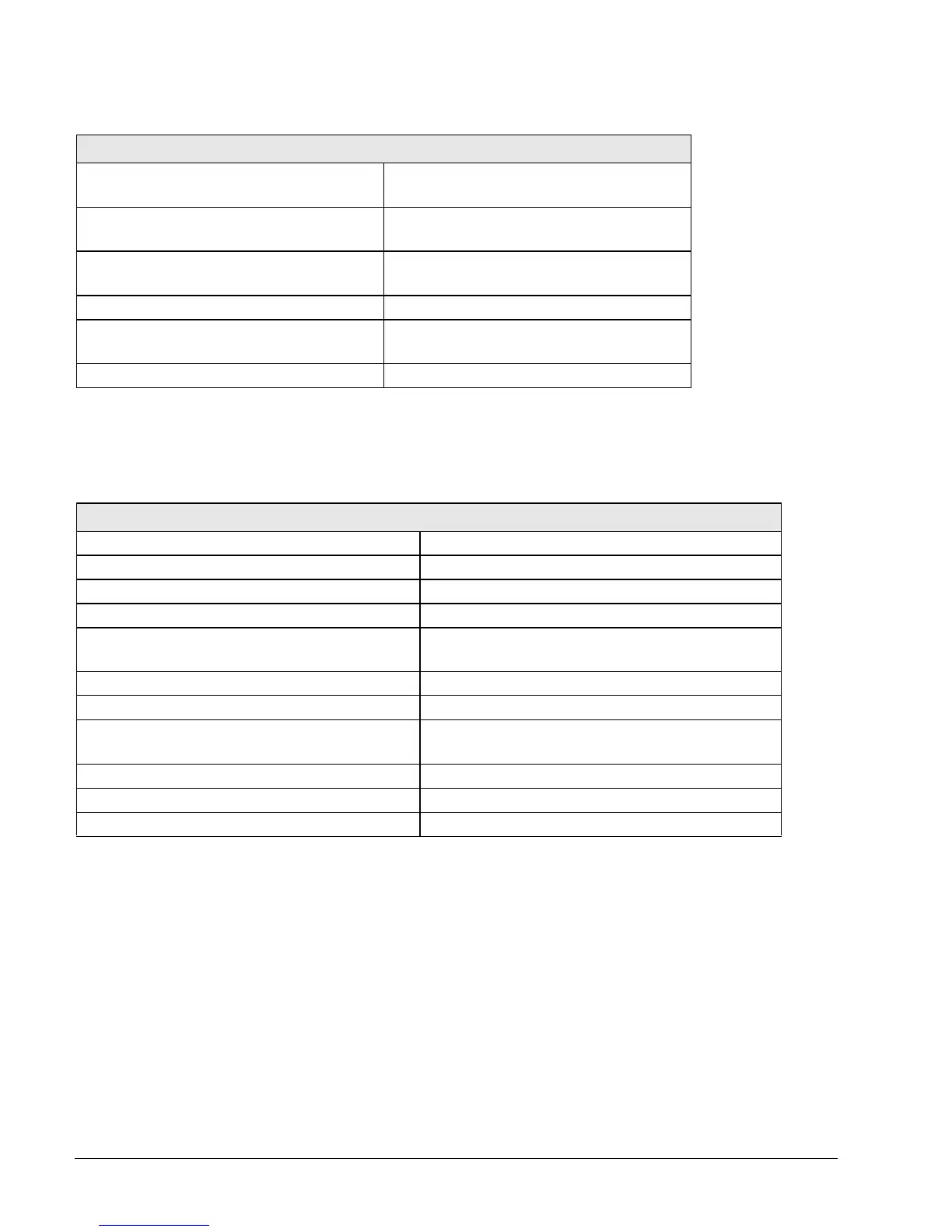
Z4M/Z6M ZPL II Features
• Downloadable graphics (with data
compression)
• Programmable quantity with print pause
• Bit image data transfer and printing,
mixed text/graphics
• Communicates in printable ASCII
characters
• Format inversion • Controlled via mainframe, mini, PC,
portable data terminal
• Mirror image printing • In-Spec OCR-A and OCR-B
• Four-position field rotation (0
°, 90°,
180
°, 270°)
• UPC/EAN (nominal 100% magnification
[6 dots/mm printheads only])
• Slew command • Serialized fields
Z4M/Z6M Bar Code Features
• Code 11 • LOGMARS
• Code 39 (supports ratios of 2:1 to 3:1) • Plessey
• Code 49 (2-dimensional bar code) • EAN-8, EAN-13, EAN EXTENSIONS
• Code 93 • UPC-A, UPC-E, UPC EXTENSIONS
• Code 128 (supports serialization in all
subsets and UCC case codes)
•MSI
• Codabar (supports ratios of 2:1 to 3:1) • PDF-417 (2-dimensional bar code)
• Codablock • Micro-PDF-417
• Interleaved 2 of 5 (supports ratios of 2:1 to
3:1; modulus 10 check digit)
•POSTNET
• Industrial 2 of 5 • MaxiCode
• Standard 2 of 5 • Datamatrix
• QR Code • Check digit calculation where applicable


 To Next Page